Phone Gimbal vs Built-In Stabilization: How Much Smoother Is Your Footage?
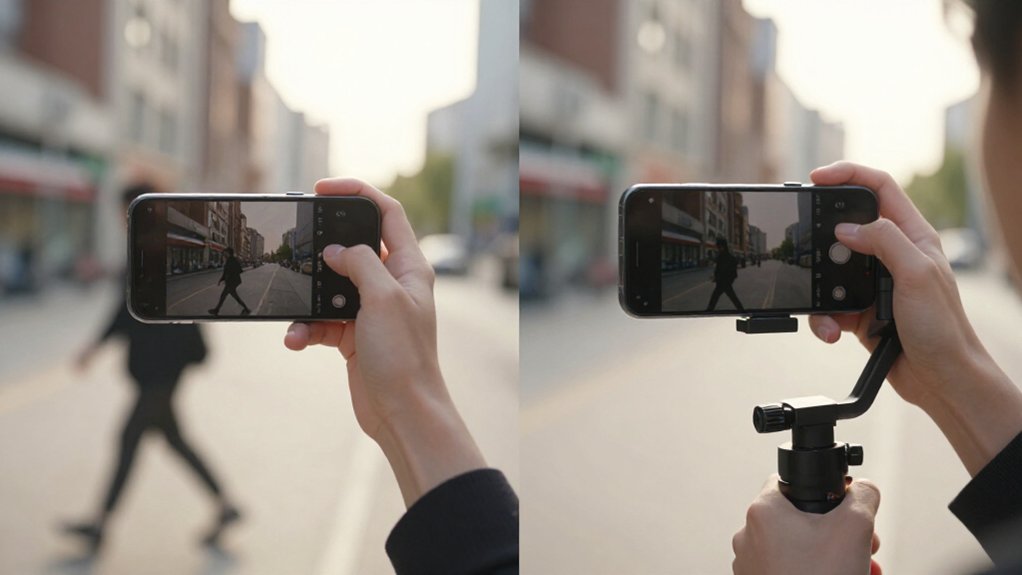
A three-axis phone gimbal usually gives you smoother footage than built-in stabilization when you walk, pan, zoom, or film in a crowd.
Its motors counter multi-directional movement in real time, while EIS crops the frame and can soften detail or judder during fast motion.
For casual walking, phone stabilization may be enough.
Running and low light expose its limits.
You trade setup for battery management and gear.
The sections ahead explain when the difference matters most.
Walking Versus Running Footage
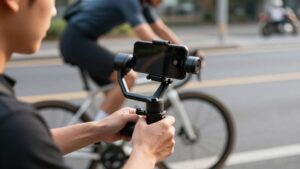
Walking footage is often good enough with built-in stabilization: EIS can correct small, slow hand movements, while OIS helps reduce micro-shake. Running changes the result: larger, faster, multi-directional swings exceed phone correction, producing judder and wobble. Because EIS crops frames, you may notice lost detail more clearly; OIS can’t fully offset rapid movement within its limited shift range.
| Setup | Walking | Running |
|---|---|---|
| Built-in stabilization | Usually usable | More judder, wobble |
| 3-axis gimbal | Smoother | Steadier horizon, framing |
| Practical check | Review detail | Watch horizon |
Compare identical routes side by side: walking may look similar, but running exposes the gap. A gimbal counters motion across three axes, keeping your horizon steadier and framing less lurchy.
For running, check full-resolution playback for judder, wobble, and detail loss before choosing carefully.
Electronic Versus Mechanical Stabilization
Unlike a gimbal’s motors, electronic stabilization (EIS) crops your phone’s footage to smooth movement, which can reduce effective resolution and soften detail.
Your phone’s optical stabilization (OIS) can counter sensor and lens shake, but its compact hardware can’t correct the broader, multi-axis movement that shapes a cinematic pan or tracking shot. A three-axis gimbal instead uses brushless motors and multi-axis sensors to steer the phone in real time.
As you walk, pan, tilt, or track a subject, it typically keeps framing steadier without the same crop-and-soften tradeoff. EIS can still help for quick, casual clips, but fast motion may trigger judder or softened artifacts because software shifts the image rather than physically changing the camera angle. This matters most when your shot includes deliberate camera movement, not a static composition. Choose phone-only stabilization for convenience; use a gimbal when you need controlled movement and consistent framing.
Low-Light Motion Clarity
In low light, phone-only stabilization can smooth shake yet leave motion looking soft or jittery. Your phone’s EIS often crops the frame and lowers resolution, so detail can disappear even when the footage looks steadier. OIS shifts the lens or sensor to counter movements, but a phone’s space limits correction when you walk or pan across a dark scene.
Fast movement exposes EIS judder and micro-stutters because dim conditions force slower shutter speeds. A three-axis gimbal instead uses brushless motors to counter movement in real time, helping you keep your subject framed without digital cropping. You can use a slower shutter, within your camera’s limits, with less visible shake. Compared with built-in stabilization, that can reduce motion blur and preserve smoother footage.
Battery Life During Long Shoots
After managing motion in low light, consider how long each setup can keep recording. Built-in stabilization adds no battery load, but long 4K/60fps takes and active EIS still drain your phone. A gimbal draws power for its three motors, though some models, such as the ZHIYUN Smooth 5S, claim up to 24 hours.
- Phone: Carry a power bank; high-resolution recording can shorten runtime.
- Gimbal: Check rated endurance, then allow for variation.
- Extras: Disable AI tracking or fill lights when unnecessary.
- Workflow: EIS may prompt retakes, using more phone power; a gimbal can help you compose steadily.
For all-day travel, pair a long-runtime gimbal with fast charging or a power bank. Balance both batteries: the gimbal’s endurance won’t help once your phone stops recording.
Wide-Angle Lens Cropping
With a wide-angle lens, phone EIS can crop into the frame to counter movement, narrowing your view and sometimes reducing detail.
Your phone’s lens captures more of the scene, but electronic stabilization trims the edges to hide shake. During a walk or pan, that crop can tighten the composition just as movement increases; changing frame edges may create visible reframing jitter. Stronger EIS often means a smaller field of view and less resolution detail, so check the result at your intended output size.
A three-axis phone gimbal counters motion mechanically, helping you retain the wide framing without digital crop-in. If you’re filming landscapes or need consistent edge-to-edge coverage, a gimbal can preserve more of the lens’s view. Choose EIS when portability matters most for you.
Horizon Lock During Turns
A phone gimbal’s Horizon Lock uses motion sensors and motor correction to keep the horizon level as you turn, while built-in stabilization can leave the image subtly tilted. A gimbal’s three-axis control counters roll in real time. EIS instead crops or warps frames, so your image may feel steady while its horizon drifts during a pivot. Check your footage after each turn to judge the difference.
- Try a 90-degree turn: the gimbal keeps the horizon consistent as the phone pans smoothly.
- With phone-only EIS, watch for brief horizon banking at the start of directional changes.
- Repeated turns can make EIS cropping feel reframed; mechanical correction avoids that same crop penalty.
- If your horizon leans as you pivot, choose Horizon Lock for stronger roll control while walking.
Motor Clearance and Phone Fit
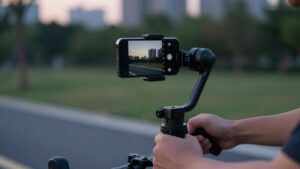
Horizon control only helps if the phone clears the gimbal’s motors throughout its movement. Before you buy, compare your phone-plus-case dimensions with the gimbal’s supported size, including maximum thickness. The mount must leave room for pitch and roll; a case, pop-socket, or camera ring can rub the frame or clip motion.
Fit isn’t width. Check the weight limit: a heavy phone can strain motors, defeat balance, and weaken stabilization, even when it fits. Test camera-bump clearance during tilts; lens islands may hit mounts that clear the phone body. Choose cutouts or adjustable side arms suited to your model. Finally, confirm side rails or thumb-screws offer enough travel to center the phone. Poor centering can saturate motors, making footage less steady than built-in stabilization.
Setup Time and Portability
You can unfold and balance a phone gimbal, then start shooting within minutes; built-in stabilization works instantly but can’t adapt to different movement styles.
For travel, a gimbal’s compact, lightweight design makes it easy to pack, though you’ll need to allow for balancing and battery charging. Built-in stabilization adds no gear, but may crop footage to reduce shake.
Quick Setup
For quick shooting, a phone gimbal takes about a minute or two to mount and balance before you power it on, then its compact design travels easily on day trips or flights. You’ll spend less time correcting each handheld take afterward.
- Mount your phone, center its weight, and check that it stays level; this setup step helps the motors control movement smoothly.
- Then power on and choose a follow, inception, or composition preset with the app or handle buttons, rather than stopping to reconfigure mid-walk.
- Compared with handheld video, you can get usable smooth footage sooner; phone-only stabilization may need heavier cropping or lose resolution.
- A gimbal also keeps framing more consistent as you move, and once balanced, supports steadier results on longer shoots.
Travel-Friendly Portability
When travel space is limited, a compact phone gimbal fits in a small bag yet delivers smooth walking footage without a heavier camera kit. You can set it up in seconds: power it on, mount your phone, balance it if needed, then start filming. As you walk or pan alone, the motors counter shake in real time, keeping movement smoother than built-in stabilization, which can struggle with dynamic motion.
A gimbal also helps preserve your composition as you move; digital EIS may crop the frame, forcing you to reframe or reshoot. Because the gimbal stabilizes mechanically, you avoid resolution loss from digital cropping. For travel, that means quick deployment, steadier handheld clips, and less framing repair in post, without adding a camera kit.
Concert Footage in Crowds
In a concert crowd, built-in stabilization can leave judder as you pan past moving lights, while a 3-axis gimbal smooths your movement. When you zoom or track a performer, the gimbal helps keep framing steadier than relying on your wrist.
Its reduced shake also helps you capture clearer low-light clips without heavy digital cropping.
Smoother Crowd Movement
Concert crowds often turn handheld footage into a sequence of lateral jolts and repeated reframing as you sway among people. A three-axis gimbal counters sway mechanically across multiple directions, keeping your phone level and performer motion visibly smoother. Built-in EIS can stabilize digitally, but its crop trims performer edges; processing may soften detail in dim concert light.
- Let the gimbal absorb your steps before each crowd-induced bump reaches the frame.
- Pan between audience sections with less lurching; motors hold composition level as you move.
- Use subject tracking to keep performers centered when people cross the foreground.
- Prefer mechanical support in low light, avoiding aggressive digital correction and its detail loss.
You’ll get noticeably cleaner, buttery footage while preserving more of the packed-stage frame.
Steadier Zoom Shots
As you zoom in on a performer from the crowd, phone-only EIS can introduce micro-jitters and rubber-banding as it crops the frame to counter hand shake.
A 3-axis phone gimbal uses motorized, real-time compensation across multiple axes, so you can push in while keeping the performer centered with less lurching from wrist movement. Unlike EIS, it doesn’t rely on the same stabilization crop, which can preserve more detail in a tight view.
If your gimbal offers AI tracking, it can keep the performer locked in frame as people shift around you; handheld zoom alone may lose them. For steadier concert clips, brace your stance, move the zoom gradually, and let the gimbal correct small movements rather than steering sharply during sudden movement in a dense audience.
Clearer Low-Light Clips
Low-light footage exposes a key difference between phone stabilization and a gimbal: EIS crops the frame to counter shake, which can reduce resolution and make a crowd look less sharp.
- With phone-only EIS, your frame may steady, but the crop can soften faces and stage details.
- A three-axis gimbal counters movement with motors, preserving more of the framing.
- As you pan through erratic crowds, expect less judder and rolling stutter; gimbal movement feels more rail-like.
- Gimbal stability helps you use faster shutter speeds, reducing shake blur on performers and lights. AI tracking can keep your subject centered when people block or jostle your view.
Choose a gimbal when you need clearer motion and framing; built-in stabilization remains convenient, but may drift as the crowd shifts.
Portrait-to-Landscape Switching
When you rotate your phone from portrait to landscape, a gimbal’s motors rebalance the phone’s pitch, yaw, and roll, keeping the frame’s movement fluid through the movement. That mechanical reference reduces judder and reframe wobble during the turn. By contrast, built-in stabilization (EIS) can’t preserve the reference across orientations.
Your phone may crop or rescale the image, then restart stabilization, so the composition can jump and resolution can drop. If you’re tracking a subject, a gimbal that supports portrait and landscape modes helps keep the subject centered after rotation; EIS may lose centering during a fast passage. In practice, you’ll see less frame re-correction with a gimbal, especially while walking or filming motion-heavy scenes. Built-in stabilization remains convenient, but switching formats mid-shot exposes its limits.
Conclusion
Choose a phone gimbal when you need consistently smooth walking, running, or concert footage and can manage its setup, battery, and fit. Built-in stabilization wins for quick, portable shooting, but electronic correction may crop wide shots or blur movement in low light.
Compare your phone’s stabilization with a gimbal in the conditions you actually film, including lens choice and portrait-to-landscape changes. If the improvement matters more than added gear, a gimbal is worth carrying; otherwise, keep it simple.