How Does a Phone Gimbal Work? 3-Axis Stabilization in Plain English
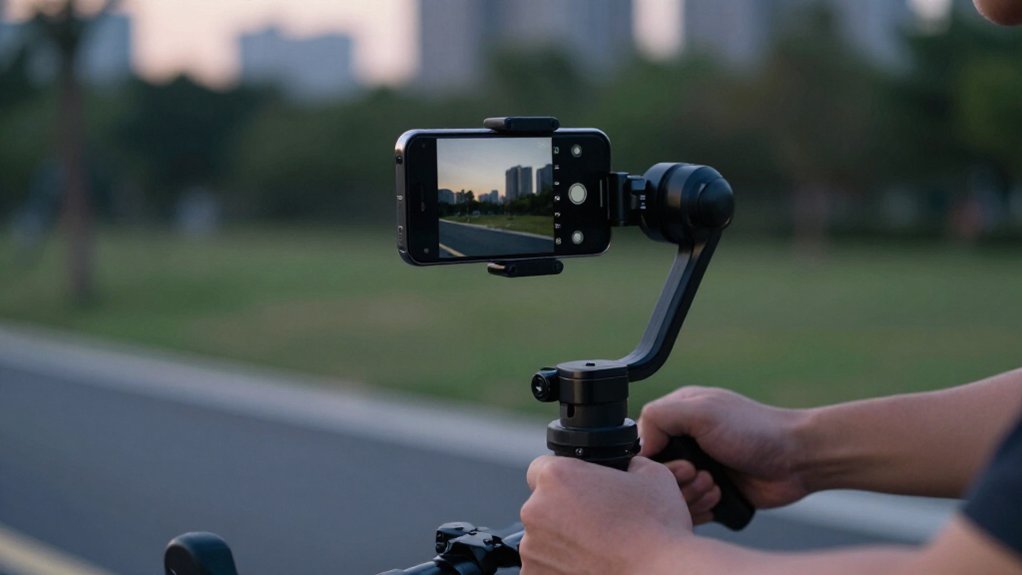
A phone gimbal uses an inertial measurement unit (IMU) to detect tiny changes in your phone’s pitch, yaw, and roll.
Its controller compares those movements with the camera’s intended orientation, then drives three brushless motors to rotate the phone in the opposite direction.
Pitch controls up-and-down tilt, yaw handles left-right panning, and roll keeps the horizon level.
You’ll get smoother footage, but proper balancing matters; next, learn how setup and real-world use affect results most.
Phone Sensors Guide Motors
As you move, the IMU inside a phone gimbal’s handle measures tiny changes in yaw, pitch, and roll, then sends that data to a control system.
The controller compares those readings with the gimbal’s orientation and commands three brushless motors to apply opposite angular corrections within milliseconds. The yaw motor counters left-right rocking as you walk; the pitch motor offsets up-and-down bobbing from your knees and arms.
The roll motor corrects lag that would rotate the phone around the lens axis during forward or backward steps. Balance the phone so its center of gravity sits near the gimbal’s axes; otherwise, motors may drift or struggle. On budget models, heat can change motor coil resistance and reduce performance if they lack thermal compensation.
Why Horizon Lock Matters
When you walk over uneven ground or change direction quickly, Horizon Lock keeps the phone’s roll axis level so the horizon doesn’t tilt. It counters the sideways rotation that makes footage feel like a drunken sailor. The gimbal’s IMU combines gyroscope and accelerometer readings to detect roll, pitch, and yaw changes. Its controller commands brushless motors, especially the roll motor, to apply opposing rotation within milliseconds, keeping the camera upright relative to gravity.
| What you do | What you see |
|---|---|
| Step onto a stair | Horizon stays level |
| Turn sharply | Frame resists roll |
If you notice gradual horizon drift, check the gimbal’s balance and calibration: a shifted center of gravity can exceed the roll correction’s ability to hold level. That’s why setup matters before recording reliably.
Filming From a Moving Car
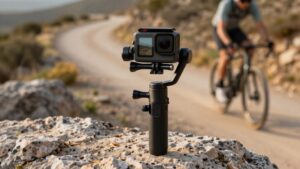
From a moving car, the gimbal’s IMU detects road jolts and commands its yaw, pitch, and roll motors to counter them in real time. In Follow or Pan Follow mode, you let the camera track your direction while its leveling control resists the car’s left-right sway.
Before filming, balance your phone so its center of gravity sits properly on the axes; corrections work best when the load approaches 70–90% of the gimbal’s rated payload. Keep acceleration and braking smooth. Sudden high-G impacts can drive inexpensive motors toward saturation, causing judder rather than clean compensation.
If the horizon drifts, recalibrate the gimbal on a perfectly level surface. During long rides, active tracking and a bright screen can drain the battery faster, so monitor remaining power.
Foldable Versus Nonfoldable Designs
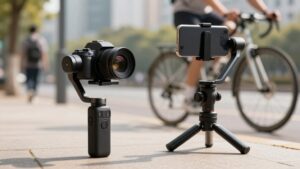
A foldable gimbal packs down for easier storage, while a rigid model takes up more space but has fewer joints. You can unfold a portable model quickly, but you’ll need to rebalance it and calibrate its motors before filming.
Compare that convenience with a nonfoldable frame’s greater stiffness, which can support steadier motor response during longer shots.
Portability and Storage
For travel, foldable phone gimbals reduce their footprint by letting the handle and motor arms nest together, so they fit more easily in a backpack. That compact shape protects space in a carry-on, but hinges don’t replace the pan, tilt, and roll motors that provide three-axis stabilization. Once you unfold and balance the phone, the joints sit outside the working motion and shouldn’t interfere with normal operation.
Nonfoldable models keep the grip and axes extended, so they occupy more room; you’ll likely prefer one for home storage or a dedicated camera bag.
When packing, power it off, release the phone clamp, and fully balance or remove the phone before folding, as your model directs. This reduces stress on arms and motors; don’t force a hinge against resistance or let the motor housings bear against objects in your bag. A case can keep the folded assembly protected without adding bulk.
Setup Time and Readiness
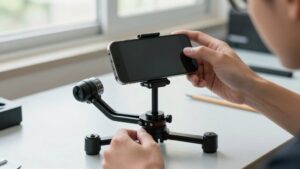
After unfolding a phone gimbal, you’ll need to balance it before filming. Set it on a perfectly level surface, then slide the phone clamp until the camera aligns with the pan, tilt, and roll axes. Do this before powering on; a wobbly table or carpet can undermine calibration and encourage drift.
Foldable models usually get you ready faster: unfold and extend the handle in one motion, then balance. Nonfoldable frames may need extra minutes for adjustment and alignment.
| Design | Readiness | Your setup |
|---|---|---|
| Foldable | Faster | Unfold, extend, balance |
| Nonfoldable | Slower | Align components, balance |
Follow the model’s sequence, keep the gimbal still during checks, and reposition the clamp in small increments until the camera sits correctly. Use indicator lights as a final check that balance is ready before you start recording.
Stability and Feature Trade-Offs
Though foldable gimbals pack more easily, their hinges and folded geometry can shift alignment, so you may need to rebalance after unfolding to keep the roll and tilt axes effective. Nonfoldable designs often feel more rigid because they have fewer moving parts, helping you maintain smoother correction across pan, tilt, and roll during longer walking shots. Yet either design relies on an IMU’s gyroscope and brushless motors to detect and counter motion within milliseconds; careful balance still matters.
On a foldable model, a light or microphone can shift the phone’s center of gravity. Slide the clamp to restore balance, then recalibrate, or the added load may weaken correction. Bluetooth usually handles app controls or AI tracking, not the core stabilization loop, which can run on the gimbal itself.
Choose folding for easier carrying; choose a fixed frame if you value mechanical rigidity. Neither design removes the need to balance your phone carefully before filming.
Phone Case Compatibility
Your phone and case must fit the gimbal’s clamp within its specified width and thickness limits, with buttons, ports, and the camera area clear. A bulky case or large ring holder can shift the phone’s center of gravity, so you may need to rebalance it.
If the clamp can’t grip securely or align the camera module, the gimbal may drift or stabilize less effectively.
Case Thickness and Fit
Will your phone case fit a gimbal clamp? Thickness matters because the clamp must hold your phone snugly while keeping its center of gravity in the intended position. Even a slim case can alter phone height and balance.
Mounts often accept only a few millimeters of case thickness. If your case exceeds that range, the clamp may not close, or the added offset may shift roll or pitch balance and cause drift.
Side grips, MagSafe rings, and camera-bump extenders can obstruct grip points and reduce roll-axis stability. Check the gimbal’s compatibility list for your phone and case style; dimensions alone don’t reveal contact or weight effects.
After fitting a thicker case, rebalance and test powered off at several angles. If the phone drifts, adjust before filming.
Clamp Compatibility
A gimbal clamp must grip your phone securely without letting a bulky case shift its balance. Most phone gimbals use a spring, strap, or locking clip designed for a defined width range, often roughly 68 to 82 millimeters. A thick case or camera-bump design can exceed that opening, leaving the phone insecure or forcing the clamp against the case.
Thick edges, pop sockets, and large MagSafe rings may also prevent the clamp from making contact. Some models add rubber pads to increase friction, but those pads can’t correct a poor fit when a case is too thick or slippery. Before buying, check your gimbal’s compatibility chart and clamp-adjustment specifications against your phone and case. Even a mismatch can cause drifting that’s difficult to correct.
Balancing With a Case
Because a thick or camera-protect case can shift your phone’s center of gravity, rebalance the gimbal after putting the case on.
Before you power it on, set the gimbal on a flat surface and test the phone at angles. With motors off, it should hold each position without drifting; case weight can upset balance. If your model has screws, adjust tilt first, then roll, then pan.
This order lets the roll axis counter residual tilt. Slide the clamp or adjust arms until the camera sits level. Check your phone’s weight and size against the gimbal’s payload limits: exceeding them can slow motor response and make walking footage wobblier.
Whenever you change cases, repeat the balance check and run auto-calibration if available; case changes can alter alignment and cause drift.
Low-Angle Pet Tracking
When you crouch or walk beside a pet at ground height, a 3-axis phone gimbal stabilizes pitch to keep the camera level, while yaw smoothly follows left-to-right movement and roll counters tilts from uneven footing or body wobbles. That separation lets each motor correct a different rotation: pitch controls up-and-down aim, yaw pans around the handle’s vertical axis, and roll keeps the horizon from slanting.
In Follow mode, you can frame your pet while the gimbal’s yaw tracks side steps without abrupt reframing. Balance your phone carefully, especially after adding accessories, so the motors aren’t compensating for uneven weight. If the view drifts, recalibrate on a perfectly level surface and inspect for loose parts; motor noise or vibration can indicate balance errors near ground.
Vertical Walking Bounce
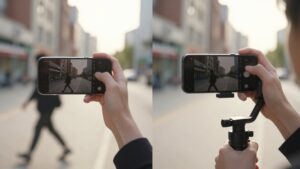
Beyond tracking a pet at ground level, a gimbal can steady your view as you walk. Your knees create repeated up-and-down pitch motion; the gimbal’s IMU gyro detects each bob in real time. A closed-loop feedback cycle sends that measurement to the pitch motor, which rotates opposite the tilt to keep your camera level.
At normal walking speeds, this rapid correction makes footage smoother, like a steadier dolly.
| Walking factor | Gimbal response | Result |
|---|---|---|
| Knee bounce | Gyro senses pitch | Motion detected |
| Up-down tilt | Motor counter-rotates | Level view |
Balance matters: if your phone’s center of gravity sits incorrectly, the motor may over- or under-correct, letting bounce creep back as drift. Use steady heel-to-toe steps; jerky starts or quick turns can briefly outrun the gimbal’s response.
Balancing Before Powering On
Before you power on, slide the phone mount along the gimbal’s axis arms until the phone stays level and doesn’t drift as you tilt or turn the unpowered gimbal. This places its center of gravity over the tilt, pan, and roll axes, so the motors correct your movement rather than resist an off-balance load.
Check again whenever you add a case, microphone, or light; small shifts can weaken roll control and cause wobble. If the phone leans forward or backward, expect poorer stabilization or recalibration.
- Move the mount in small increments before switching on the motors.
- Test tilt, pan, and roll while power’s off.
- Keep the phone level without hand support.
- Rebalance after fitting accessories.
- Recalibrate on a level, stable surface if vibration persists.
Enable Subject Tracking
Once the phone is balanced, enable subject tracking in the gimbal’s app and select a face or object. The app’s camera AI detects that target and continually updates its position in the frame. The gimbal then adjusts yaw, or pan, to keep it centered, so you don’t have to steer by hand.
As you walk, its gyro and accelerometer measure motion. The motors respond within milliseconds: they cancel pitch bobbing and roll while yaw follows the subject. Tracking can shift composition without transmitting footsteps to the shot.
Some systems need Bluetooth for app controls or firmware updates; stabilization itself can work without it. If the phone’s balance shifts, recalibrate: a changed center of gravity can cause drift and make tracking feel less locked on.
Conclusion
Once you understand how sensors guide motors, a gimbal feels less like a gadget and like a motion-control system. Its three axes counter your hand movements, while horizon lock, subject tracking, and balancing improve footage.
Choose a design that fits your phone, case, and filming habits. For moving-car shots, low angles, or vertical walks, keep expectations realistic: it can’t erase every jolt, but it can make your clips steadier and easier to watch.