Do You Need a Gimbal for GoPro? HyperSmooth vs a Dedicated Stabilizer
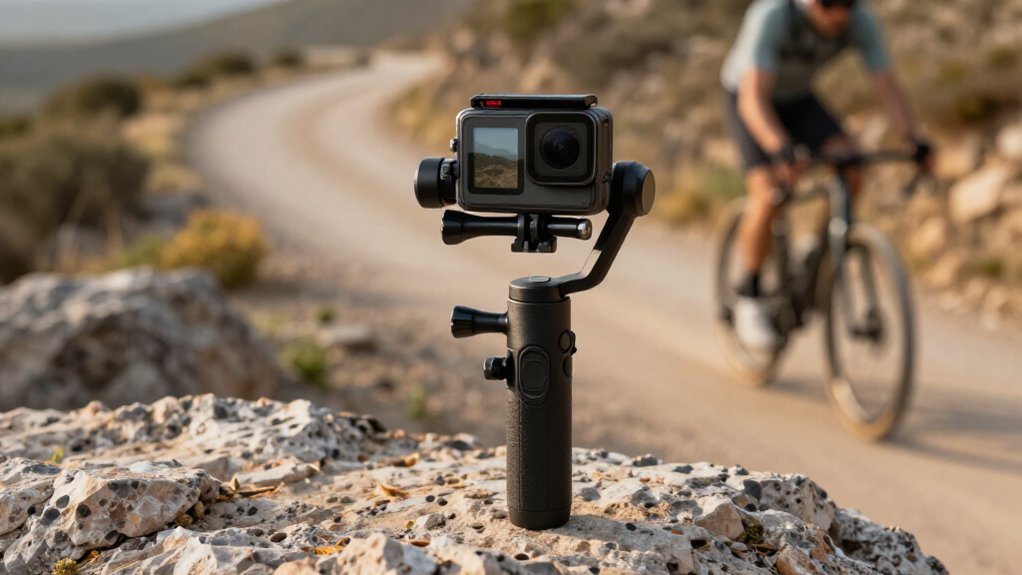
You don’t need a gimbal for most GoPro footage: HyperSmooth steadies walking, travel vlogs, and casual sports without extra weight or setup.
A three-axis stabilizer mechanically controls pitch, yaw, and roll, so it looks cleaner for deliberate pans and slow tracking, with less digital crop.
Boost handles rougher movement but crops further and can worsen low-light noise.
For dim scenes, use a stable mount or gimbal with HyperSmooth off.
Your conditions decide; more follows.
HyperSmooth vs Gimbal
For most handheld walking and casual action shots, HyperSmooth keeps GoPro footage steady without extra gear, but it crops the image and can produce distortion or jello during fast movement. That trade-off makes it convenient for everyday vlogging; on a Hero 13, HyperSmooth 6.0 can suppress ordinary hand shake effectively.
A three-axis gimbal stabilizes mechanically, so it doesn’t depend on as much digital cropping and preserves more of the frame. You can see its advantage in deliberate pans and slow tracking moves, where motorized correction looks smoother and more controlled. During running or pronounced bounce, a gimbal may suppress shake beyond electronic stabilization alone.
For extreme action, HyperSmooth Boost adds stronger correction but crops further; a gimbal can reduce your reliance on digital processing. Choose HyperSmooth for lightweight handling, or a gimbal for planned moves. You don’t always need both.
Define Your Typical Shooting Conditions
Your choice depends less on whether a gimbal is better in theory than on what you shoot. For walking, quick travel vlogs, and casual sports, HyperSmooth handles footfall without adding a gimbal’s weight or setup. You can keep the camera ready.
When you’re running, bouncing over rough ground, or changing direction at speed, electronic correction may need Boost or AutoBoost, yet leave more shake than a three-axis gimbal. If turns tilt the horizon, Hero 12/13 with Max Lens Mod 2.0 offers Horizon Lock; don’t assume a gimbal’s your only option.
In low light or on a tripod, consider switching HyperSmooth off to avoid its crop. On a motorbike or vehicle, engine vibration calls for an anti-vibration mount or better hardware, not stabilization alone.
Runtime Between Charges
Runtime depends on your GoPro model and settings, but heavy modes such as HyperSmooth Boost or Horizon Lock can drain the battery faster than Standard.
You may notice the gap most on long rides: higher-bitrate recording and demanding stabilization can leave you watching the battery icon fall sooner.
| Setup | What you may feel |
|---|---|
| Standard, moderate bitrate | More breathing room |
| Boost/Horizon Lock, high bitrate | Fewer minutes; charge anxiety |
A powered gimbal or accessory adds drain to your overall rig, although your GoPro’s runtime still depends on its battery and recording bitrate.
Before a trip, test your exact mode, resolution, frame rate, and lighting; log minutes per battery, since settings shift results. Carry one spare, and check whether your stabilizer uses internal batteries or USB power.
Electronic Vs Mechanical Stabilization
HyperSmooth crops and corrects your footage electronically, while a gimbal’s three-axis motors steady the camera before motion reaches the sensor. In everyday vlogging, EIS keeps your setup light, but heavy bounce can cause distortion; a gimbal better smooths walk-run shake and pans, with added weight and cost.
Choose HyperSmooth for portability and simplicity, or a gimbal when steadier horizons and demanding movement matter more.
Electronic Image Stabilization
When you walk, ride, or vlog with a GoPro, HyperSmooth’s electronic image stabilization (EIS) can steady footage without adding gear. It uses gyro data from the camera’s sensor to detect movement, then digitally shifts the image to counter shake. That correction usually crops the frame, so you may lose some edge detail and field of view.
On newer GoPros, HyperSmooth generally handles handheld walks, casual action, and vlogging well; you get steadier clips while keeping your setup compact. During fast, high-bounce moves, though, rolling-shutter wobble can make straight lines appear bent, and stronger correction can shrink framing further.
If you shoot everyday movement, EIS is an efficient default. For extreme bounce or footage where you need less crop and fewer motion artifacts, choose stabilization carefully.
Mechanical Gimbal Stabilization
For sustained tracking or aggressive movement, a mechanical gimbal can keep your GoPro’s pitch, yaw, and roll level with motorized control, reducing bounce without relying as heavily on digital cropping. Unlike HyperSmooth, which corrects shake electronically and crops the frame, a gimbal moves the camera physically. In practice, motors counter pitch, yaw, and roll during steady pans or sustained tracking, absorbing bounce and vibration before they reach the sensor.
You rely less on crop-based correction, which can help limit jello during fast maneuvers. A gimbal still adds hardware, setup, and weight. For walking, vlogging, and everyday action, HyperSmooth is often simpler because it’s built in. Choose mechanical stabilization when you need controlled cinematic pans or horizon-locked tracking through aggressive movement, with fewer digital compromises.
Key Performance Differences
How much stability you gain depends on the movement: HyperSmooth corrects gyro data digitally, so stronger settings crop more of the frame and can produce jello-like distortion during fast, bouncy action. A three-axis gimbal instead uses motors to counter tilt, roll, and pan before movement reaches the camera.
When you walk or run, it keeps the horizon steadier without sacrificing as much image area. HyperSmooth’s Standard setting applies a smaller crop for vlogging; Boost or AutoBoost steadies more, but trims the frame further and reduces resolution.
You’ll notice the difference in controlled pans and tracking: a gimbal follows deliberate motion smoothly, while electronic correction mainly suppresses shake. For moderate handheld action, in-camera stabilization can look convincing; repeated hard impacts can expose its limits.
Choosing the Right Method
The choice comes down to convenience versus control: HyperSmooth suits lightweight handheld vlogging and travel, while a three-axis gimbal gives you smoother cinematic tracking with less digital cropping. For walking clips, casual action, or fast-moving footage, HyperSmooth can work remarkably well, especially on newer GoPros. Boost tightens the frame further, though, and that crop can reduce resolution. Extreme bounce or high-speed movement may also introduce distortion.
Choose a gimbal when you want controlled pans, steadier walking or running shots, or a horizon that stays level through sharp turns. Its motors correct movement mechanically, often handling severe vibration more consistently. You’ll carry extra gear, but retain more of the image. When mounting your GoPro on a gimbal, turn HyperSmooth off to prevent double stabilization; use Standard or Boost for handheld shooting when you accept the crop.
Low-Light Footage Performance
In dim scenes, HyperSmooth’s digital crop reduces the sensor area available for light, while Boost can make noise more noticeable and electronic stabilization less reliable during fast movement.
A gimbal stabilizes mechanically without cropping the image, though motion blur can still limit detail. For the best low-light balance, turn HyperSmooth off or use Standard if you need extra correction, and compare that setup with your gimbal’s motor performance.
HyperSmooth in Dim Light
At dusk, HyperSmooth can still steady low-frequency shake, but the higher ISO and faster shutter speeds it may use can add noise. Digital cropping also trims the frame; with Boost-style settings you may notice a larger loss of view, especially in a dark scene where you want room to reframe.
HyperSmooth handles gentle movement well, but stronger bounce or rapid motion can reveal more distortion as electronic correction works harder.
For the cleanest image, turn HyperSmooth off when your GoPro’s on a tripod, static mount, or gimbal; the full sensor area then remains available. If you need stabilization while moving, Standard usually keeps more of the sensor area than Boost. Save Boost for brighter action, where its crop and added correction are less costly.
Gimbal Motor Performance
A dedicated 3-axis gimbal can keep a low-light shot smoother by reducing shake before it reaches the sensor, which may let you use a faster shutter and capture less motion blur. That advantage is most visible in moving handheld footage, where motor-driven horizon control and bounce reduction can look cleaner than aggressive digital correction.
A gimbal adds weight, though, so it may feel cumbersome during very dark handheld shooting. With HyperSmooth, Standard suits low-light walking because it steadies the frame with a smaller crop than Boost. Choose Boost for high-bounce night action only when stronger stabilization outweighs the tighter view.
Turn HyperSmooth off when you need maximum sensor coverage; you’ll avoid the electronic crop, but must manage camera shake yourself. Assess your movement carefully.
Motion Blur Trade-Offs
Why can stabilized night footage look noisier? HyperSmooth crops the image to counter movement, reducing the effective sensor area in the recorded frame. In dim light, that can leave you with more grain or less detail, even when the footage looks steadier. Boost applies the strongest crop, so its low-light trade-off is usually harsher than Standard’s.
With HyperSmooth off, you retain the full sensor view and its low-light performance, but your camera must stay steady enough to avoid motion blur. A dedicated three-axis gimbal offers another route: it controls movement mechanically, without stabilization crop, which can preserve more image detail at night. In practice, choose stabilization strength according to how much movement you need to correct; stronger digital correction may reduce shake while making noise more visible in dark scenes.
Best Low-Light Setup
For the cleanest low-light footage, turn HyperSmooth off and use a stable mount or gimbal to limit shake without cropping the image. You preserve sensor area, helping retain brightness and reduce noise. If you need correction, start with HyperSmooth Standard, not Boost.
Boost crops more, reducing resolution and costing detail when dim scenes challenge your footage. On a Hero 12 or 13 with Max Lens Mod 2.0, Horizon Lock can keep the horizon level as you’re walking and tilting, though it won’t restore lost light. In dark, fast movement, a mechanical gimbal beats HyperSmooth: it counters motion physically rather than correcting shaky frames afterward.
Pairing a gimbal with HyperSmooth Off or Standard gives you best balance of detail and stability in low light overall.
Mounting Accessories Availability
Because GoPro’s curved adhesive, threaded, and frame-mount accessories are widely available, you can usually move between HyperSmooth and a compatible gimbal without rebuilding your setup.
Most dedicated three-axis gimbals include a GoPro-compatible quick-release mount, so you can transfer the camera to a handle, tripod, or helmet without starting over. You can also keep using handlebar, bike, chest, and strap mounts with HyperSmooth, choosing in-camera stabilization or a gimbal while retaining familiar attachment points.
For vehicle footage, choose an anti-vibration mount built for vehicle use and compatible with standard GoPro points; ordinary mounts may let engine vibration undermine either system.
Check model compatibility before buying, too. Adapters differ, especially with lens mods or housings, and a Max Lens Mod may not fit every gimbal platform.
Cold-Weather Motor Reliability
Choosing between a gimbal and HyperSmooth matters more in freezing weather, when moving parts can slow down. In freezing conditions, HyperSmooth uses the camera’s gyro and digital processing, so it avoids motor-start problems. Standard and Boost may crop your frame, but they typically keep working without stiff bearings or limited motor torque.
A three-axis gimbal can behave differently: cold grease and reduced battery voltage may weaken motor response, making horizon lock feel laggy and vibration control less effective. If you take one out, keep it warm in an inner pocket until you shoot; don’t expect it to recover instantly.
You’ll get more consistent results by managing power, too. Keep spare batteries warm, since low voltage can make both the camera and gimbal respond less reliably. For winter action, HyperSmooth is mechanically simpler; choose a gimbal only when its movement remains responsive.
Payload and Camera Balance
Balance the GoPro at the gimbal’s center before you shoot: properly aligned front to back and side to side, it takes less motor effort to hold a level horizon. With a GoPro alone, you’ll usually balance the payload quickly; add a long mic, light, or battery-heavy rig, and the shifted weight may demand arm adjustments or a payload-setting change.
- Center front to back and left to right; the motors won’t constantly oppose gravity.
- With poor balance, expect continual corrections that can cause horizon drift or audible motor strain.
- HyperSmooth crops and corrects shake digitally; a balanced gimbal steadies motion mechanically first, so in-camera processing has less movement to clean up.
Recheck balance after accessory changes; don’t mistake wobble for digital stabilization failure.
Vertical Video Reframing Support
Once your GoPro is balanced, vertical reframing depends more on how each stabilizer handles movement and cropping.
HyperSmooth steadies portrait footage, but its crop reduces resolution and leaves less room to resize or center your subject. Compare modes before shooting:
- Standard uses a lighter crop, preserving more edge margin for a 9:16 edit.
- Boost crops more, so expect less flexibility when you reposition the frame.
- Horizon Lock, on Hero 12/13 with Max Lens Mod 2.0, helps keep the horizon level and portrait shots from feeling tilted.
A three-axis gimbal mechanically limits roll and yaw, so you’ll get consistent framing without depending on digital crop correction. Choose HyperSmooth when capture matters; use a gimbal when you need edge control across vertical reframes.
Conclusion
Choose HyperSmooth if you want a lightweight, simple setup for daytime action, quick mounting, and vertical reframing. A gimbal makes more sense when you need smoother motion at walking speed or better low-light footage, but you’ll need to manage balance, charging, and cold-weather motor performance.
Before buying, compare your GoPro’s runtime, available mounts, and typical shooting conditions. If you rarely see stabilization limits in your footage, you probably don’t need a dedicated stabilizer.