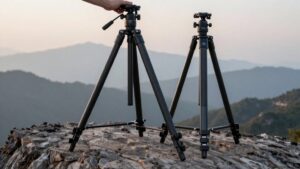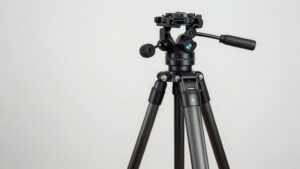
Selfie Stick vs Tripod: Which One Fits the Way You Film?
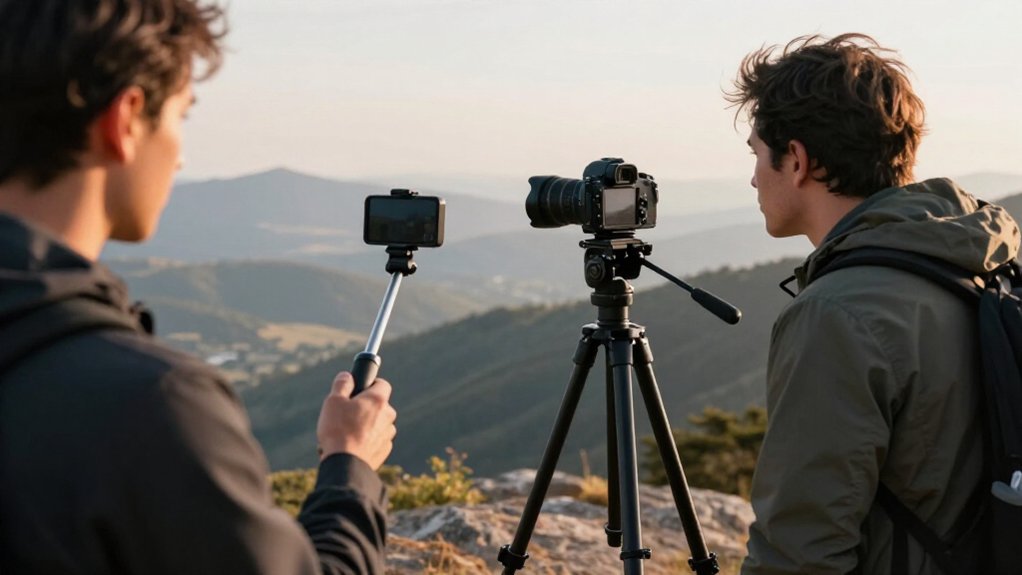
Choose a selfie stick for extra reach, quick reframing, or trail backgrounds while moving; it places your phone beyond arm’s length, but sections can wobble.
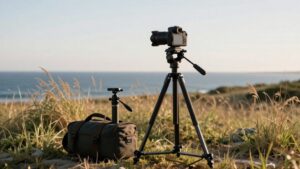
Choose a tripod for framing group photos, sunrise sequences, or time-lapses on firm ground.
Its stance helps limit horizon drift, though setup takes longer and loose ground can undermine support.
Remote shutter access lets you trigger either setup without touching your phone; comparisons below can help match your choice to your hiking pace.
Built-In Remote Shutter Access
With a tripod-style setup, you can leave the phone aimed at the scene and trigger the shutter from a distance. TelePod® Mini pairs this workflow with a detachable, 33-foot wireless remote, the only JOBY phone stand in this lineup to include one. Once you’ve mounted and framed your phone, you can trigger a photo or start recording without touching the stand. Compared with a timer, remote control lets you choose the capture moment directly, reducing missed timing when you film solo. That difference matters when you need repeatable starts or precise still-photo timing.
| Control point | Practical effect |
|---|---|
| Remote included | Detachable wireless control reaches 33 feet |
| Timer option | Waits for a preset interval |
| Solo filming | You avoid missed capture timing |
| Stand contact | Remote triggers without touching it |
Reach vs. Grounded Support
A selfie stick prioritizes reach over grounded support, letting you raise the camera above eye level, extend it for side angles, or lower it for ground-level shots while moving. A tripod, by contrast, gives you a fixed frame for sunrise sequences, moving clouds, or low-light time-lapses; you won’t need to correct a drifting horizon between shots.
- Extend a selfie stick for wider third-person perspectives or elevated top-down framing; 70cm, 85cm, and 114cm models offer different reach.
- Raising every section increases wobble and shifts the center of gravity, so use reach when mobility matters more than a locked frame.
- Choose a tripod when you can stop and repeat group photos, night shots, or campsite tutorials without repositioning the camera.
Your filming pace determines which trade-off fits best.
Stability on Uneven Ground
On uneven ground, a tripod’s wide base and low stance resist tipping better than a handheld selfie stick can, but raising the legs increases its center of gravity and wind exposure.
Because a selfie stick acts like a long rod in your hand, small bumps underfoot can transfer into camera shake. Choose a tripod when you need fixed framing. Keep its legs low and spread them across the firmest contact points; don’t maximize height just to gain a view.
Loose gravel, trail debris, soft soil, and exposed edges can undermine its support. In those conditions, a selfie stick may be steadier than a tripod planted on unstable footing. Use the stick when quick repositioning matters more than stillness, but expect to correct framing.
Operating the Remote Shutter
Once your tripod or selfie stick holds the frame, a wireless remote lets you trigger the shutter after walking into position, without touching the camera and risking a shift.
A remote changes the capture workflow, not the support method: either stand can hold your phone or camera while the remote lets you stay in place. For solo filming, TelePod® Mini includes a detachable 33-foot wireless remote, so you can trigger capture after framing. Compare the options by considering:
- Repeatability: Trigger a sequence without bumping the camera during the switch from setup to capture.
- Reach: Use the included remote from up to 33 feet away.
- Fallback: Set your phone or app timer if you don’t have a remote.
That suits solo, repeatable capture particularly well.
Phone and Camera Pairing
When pairing a phone with a camera, match the mount to the camera’s interface: HandyPod™ Clip Extend uses a built-in 1/4-inch screw for mirrorless or compact cameras and can take a phone or action-camera adapter, while GripTight® Cold Shoe Mount attaches to a camera’s cold shoe and positions the phone alongside the main lens.
Choose HandyPod™ when you’ll mount the camera; add an adapter to secure a phone or action camera. If your camera has a cold shoe, GripTight® gives you a side-by-side view for a second angle or live monitoring.
Check the interface before setup: a mismatched mount won’t attach securely without an adapter. For a phone-only solo setup, TelePod® Mini includes a detachable 33-foot wireless remote, so you can trigger the phone after positioning it.
Packability for Trail Days
For trail days, a selfie stick lets you keep moving and change angles quickly, while a compact tripod offers more stable, set-and-forget framing. Choose according to carry weight, speed, and framing priority.
- A stick extends your reach for high or low shots, while fully extended models can feel less stable.
- NanoPod folds to 9mm and weighs about 70g, so it’s easier to stash than bulkier tripod legs.
- TelePod® Mini shifts from handheld use to a stable tabletop tripod, so you avoid packing a separate stand.
For sunrise, NanoPod’s desktop or low-angle modes can prevent horizon and framing drift; extra setup can pay off for fixed compositions.
A stick stays faster between viewpoints, while a tripod-style option favors controlled shots and compact, efficient packing on trails.
Battery Dependence for Remote Shutters
A wireless remote lets you trigger your phone or camera’s shutter after you step away, but hands-free shooting depends on the remote’s battery.
In JOBY’s lineup, the TelePod® Mini is the only option that includes a detachable 33-foot wireless remote, so you get shutter control without an extra purchase. That convenience has a power trade-off: charge the remote or replace its batteries to maintain triggering during long filming sessions.
A selfie stick or tripod without a remote doesn’t offer hands-free triggering, but you can use your camera’s timer, app control, or continuous mode if the remote isn’t available or runs low. Before filming, test range and response at your distance; the TelePod® Mini’s connection reaches up to 33 feet. Test stability before filming.
Grip Comfort and Setup Speed
A selfie stick’s contoured grip can help you maintain a secure hold during extended use. You can usually extend it and frame a shot faster than you can deploy and level a tripod.
While a tripod offers steadier hands-free positioning, the stick supports quicker adjustments as you move.
Comfortable in Hand
Grab a selfie stick and you can extend, frame, and reposition it while walking, without adjusting legs or locking a tripod’s height. For comfort in hand, compare how each design distributes effort: a stick keeps the camera close to your movement, while a tripod supports it after placement.
- Handle position affects wrist angle and how quickly your arm tires.
- A removable non-slip sleeve, offered on some models such as the 85cm classic, can improve purchase during extended holding.
- Greater extension may reduce perceived stability, though you can change angles without moving the whole setup.
A tripod suits you when you want hands-off support; a stick suits you when you need to hold and steer the camera. Choose according to comfort over your typical filming duration.
Faster Setup Time
When you’re filming outdoors, a selfie stick usually gets you recording sooner: extend it, grip it, and frame the shot, while a tripod needs leg adjustment, leveling, and composition tweaks. That helps when you’re filming solo and need quick angle changes during outdoor filming. You can reposition instantly.
Grip comfort affects steadiness; a secure hand position can reduce arm fatigue during longer walking or talking-to-camera takes. A tripod takes longer initially, but once you’ve adjusted height and framing, it provides hands-free stability if you’ll stay put. With a phone stand such as the TelePod® Mini, its detachable 33-foot wireless remote lets you trigger a hands-free shot after stepping into position.
Choose the stick for rapid repositioning; choose the tripod for fixed framing and stability.
Capturing Group Trail Photos
For a large group, a longer selfie stick gives you extra reach and a wider trail background, but it’s less stable than a tripod. A tripod keeps your framing and horizon consistent, provided you place it on stable, flat ground away from loose gravel or exposed edges.
Choose the stick for quick repositioning; choose the tripod for steady repeated shots, using a timer or remote to avoid disturbing it.
Group Size And Framing
As your group grows, a longer selfie stick—roughly 85–114 cm—gives you more distance to fit everyone, while a shorter one keeps the shot tighter.
Your choice changes perspective and repeatability. Compare the options by framing needs:
- A selfie stick moves with you, so you’ll reposition quickly while walking; arm-length perspective may crop people or background.
- A tripod lets you set a fixed height and angle, often producing more complete group framing with a wider trail backdrop.
- For repeated photos, the tripod makes matching the same composition easier; a selfie stick may shift between takes.
If your group is large and keeps moving, choose the longer stick for added camera-to-subject distance. When everyone can pause, use a tripod for more repeatable framing.
Tripod Stability On Trails
On uneven trails, a tripod keeps the horizon and group framing more consistent than a selfie stick, especially when you want to capture both faces and the path.
A tripod’s stability depends on placement. Instead of extending it to full height, lower the center of gravity and spread the legs for a wider stance. Choose firm, flat ground; loose gravel can let a selfie stick shift and disrupt composition.
Keep the tripod clear of bike lanes, exposed edges, foot traffic, and gust-prone spots. Setup takes longer to reposition than a selfie stick, but the tripod holds a group composition steady while you use a timer or remote. When you need the same framing for several minutes, careful placement gives you a more reliable result.
Selfie Stick Reach
A selfie stick extends the camera beyond arm’s length, helping you fit more people and trail scenery into a group photo than a handheld shot can. That added distance gives you a wider composition, while a handheld camera limits the frame to your arm’s reach.
- Choose a stick around 150 cm or shorter when you need a modestly wider close-group frame and easier packing.
- Pick a model over 150 cm to include more background and keep everyone in frame as spacing varies.
- Extend it above eye level for top-down coverage over uneven ground or a crowd, without stopping.
Unlike a tripod, a selfie stick lets you reposition quickly as your group moves, though it requires you to hold and aim the camera yourself.
Choosing for Your Hiking Pace
For a quick-moving hike, a selfie stick is usually faster to deploy because you can reposition it as you walk, while a tripod takes time to level and adjust. Choose a selfie stick for flexible solo shots, but longer extensions can bend and feel less steady. The TelePod® Mini converts between handheld grip, extendable selfie stick, and tabletop tripod; its detachable 33-foot remote enables hands-free framing.
For brief stops, NanoPod folds to 70g and 9mm thick, with desktop, handheld, low-angle, and magnetic modes. For sunrise, long time-lapses, or low light, a tripod is more useful: it holds the horizon and preserves repeatable framing over several minutes, reducing hand movement. Match the support to how often you stop, not just the shot you want most.
Conclusion
Choose a selfie stick when you want reach and easy group framing while moving; its remote helps you trigger shots without touching your phone. Choose a tripod when grounded support matters more than speed, especially on uneven ground or during timed shots. Check device pairing and remote battery needs before you leave.
For hikes with frequent stops, a tripod improves consistency; for a faster pace, a selfie stick keeps setup compact and simple. Choose accordingly.