Tripod Load Capacity Guide: How Much Weight Your Setup Really Needs
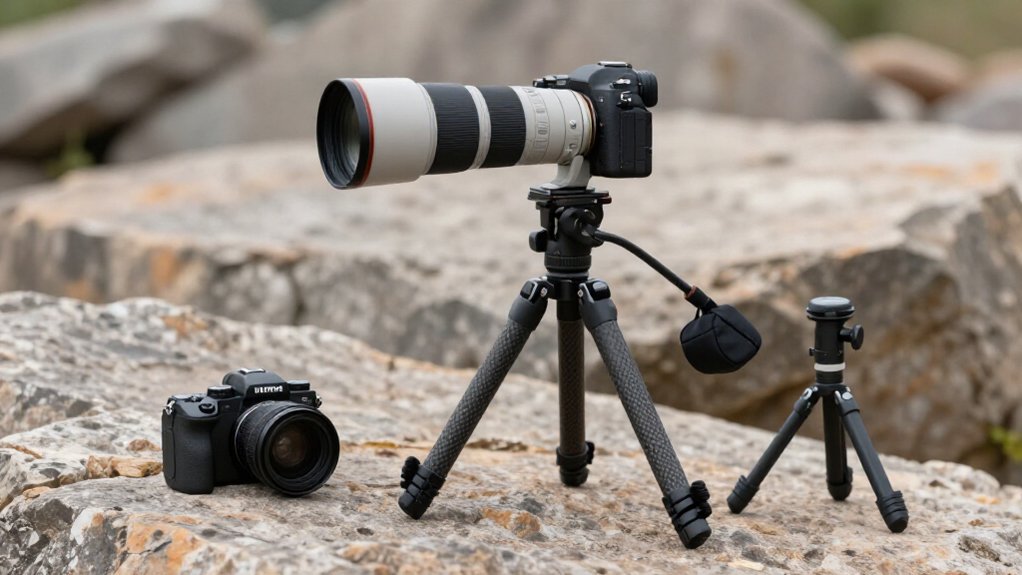
Treat a tripod’s rated capacity as a maximum, not a dependable working load.
Keep your camera, lens, and accessories near 50–70% of the rating, and lower that target in wind or on soft, uneven ground.
Check the label and verify the head’s limit; it may be weaker than the legs.
Long or extended lenses, raised center columns, and loose locks increase leverage or wobble.
Material, leg design, cold, and setup affect stability.
More guidance follows.
Wind and Terrain Effects
Wind can sway a tripod and camera even when the setup is light, so camera weight alone won’t tell you how stable it’ll be. Gusts push against the whole setup, and a higher rated capacity can provide extra stability. However, extending the tripod, selfie stick, or center column increases leverage, amplifying movement.
Keep the center column low whenever possible.
Terrain also affects support. Soft, bumpy, sandy, or uneven ground can let legs sink or rock, even if the tripod feels secure on pavement. Choose the most level, solid footing available, then press each leg into place.
In windy conditions, hang a camera bag from the bottom hook to counter motion. Recheck footing and framing, since shifting legs can introduce blur or tilt.
Material-Based Capacity Ratings
With aluminum or carbon fiber, material influences capacity, but leg design and lock quality matter too. Aluminum tripods balance strength and portability; a rating near 5 kg suits action cameras, small mirrorless cameras, and smartphones. Carbon fiber models reduce weight while adding rigidity, helping resist flex and vibration outdoors with heavier camera systems. Larger leg diameters generally handle more load than slimmer designs.
| Material | Typical advantage | Capacity factor |
|---|---|---|
| Aluminum | Strength, portability | Often around 5 kg |
| Carbon fiber | Low weight, rigidity | Resists flex and vibration |
| Either | Depends on build | Legs and locks matter |
Secure locks help maintain alignment; weak ones can slip or wobble before you reach the limit. As wind or vibration rises, keep your setup near 50–70% of its rating for support.
Payload Versus Working Load
Material and lock quality affect a tripod’s capacity, but its rated load is only a maximum—not a guarantee of stable support. Set a lower working load, often 50–70% of the rating, to limit flex and wobble during use. Count your camera and lens, then consider how you mount and balance them.
Keep gear near the tripod’s center, and level the setup carefully. Extending the center column can increase movement, even below the rated limit.
For example, a compact aluminum tripod rated for about 5 kg easily exceeds the weight of a GoPro at roughly 159 g or an Insta360 X4 at 203 g. Yet setup can still limit stability.
In wind or on soft, uneven ground, reduce your working load further; movement may come from both the tripod and your payload.
Tripod Head Load Ratings
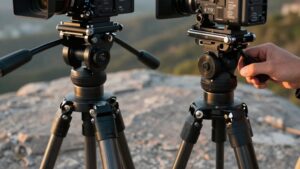
Your tripod head has its own load rating, separate from the legs, so match both ratings to your camera, lens, and accessories. Keep the payload balanced and aim well below the head’s maximum, often around 50–70%, especially with heavy lenses or extended setups.
If the head creeps, slips, or lets the image wobble, reduce the load or use a more suitable head.
Head Versus Tripod Ratings
Although a tripod may support 5 kg, its head may have a lower load rating and become the limiting component. Treat the legs and head as separate rated parts, not as one capacity figure. If your camera, lens, and accessories exceed either rating, the weaker component governs; a lower-rated head can slip or flex while the legs remain within spec.
Ball and three-way heads must resist torque that can cause creep or wiggle; fluid and geared designs support smooth movement with heavier loads. A head’s printed limit doesn’t guarantee firm positioning.
Center-column extension, wind, and long-lever lenses can reduce stability and compromise sharpness even when both ratings appear sufficient.
When specifications conflict or omit the head, don’t assume the tripod’s figure applies to it. Verify the head’s stated limit and inspect whether it holds your mounted setup without movement; published ratings describe limits, not guaranteed field performance.
Matching Head Capacity
Once you’ve checked the legs, match the head’s rating to the full camera-and-lens weight, since the head must resist both load and torque.
A head rated around 5 kg shouldn’t routinely carry 5 kg; target roughly 50–70% of its rating, or 2.5–3.5 kg, for less wobble and creeping in real shooting conditions. Add your body and lens weights, then compare their combined total with the head’s specified limit.
If your setup approaches 4 kg, choose a head rated well above 4 kg, not one barely exceeding it.
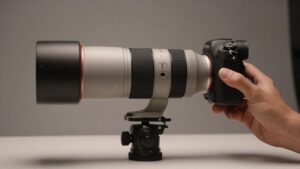
Long lenses demand extra caution: their lever arms increase stress on pan and tilt mechanisms, so a head rating may prove less forgiving than the legs’ rating. Select a head type for your control needs—ball for quick framing, or three-way, geared, or fluid for smoother adjustments—and verify that model’s load limit before mounting heavier bodies with your complete setup.
Payload and Camera Balance
Check the tripod head’s maximum payload against your camera-and-lens weight, then leave room for real-world movement: a 4 kg setup is better paired with a head rated near 8 kg than one rated at 5 kg.
Treat the rating as a limit, not a promise of steady framing. A Canon 6D with a 24–70 mm lens weighs about 4 kg, placing a 5 kg-rated head near its lower margin; the common two-to-one rule points you toward roughly 8 kg. Then check balance: position the camera close to the head’s center so it doesn’t pull forward or backward and induce wobble. Keep the center column low, because extra height increases leverage and magnifies small movements, even below the rated payload.
If the head wobbles, resists locking, or feels unstable as you adjust angles, reduce the load or improve balance. Those symptoms reveal practical capacity, which can fall short of the printed rating. Test the setup before committing to a critical shot.
Heavy Lenses and Accessories
A heavy lens solidly loads the tripod head as well as the legs, so compare the head’s rated with the full camera, lens, and accessory weight, not just the camera body. Check the head’s maximum allowance separately, then weigh your complete rig, including plates, gimbals, and dense add-ons.
A light body may surpass its specification once you add a large lens or hardware. For stability, keep working load near 50–70% of the head’s limit, not at its limit. With a ball head, ensure its lock holds the rig as you re-aim.
Long focal lengths magnify vibration, so head stiffness affects even within spec. Choose a head with adequate capacity for your setup, not a rating based on body weight alone, for stable framing and image sharpness.
Signs of Head Overload
When a tripod head exceeds its practical load, it may creep or settle after you lock it, especially with the camera tilted up or down. That movement signals the head may not control your camera-and-lens combination safely.
Check the manufacturer’s published maximum payload. Treat it as the heaviest setup the head can support without noticeable flex or control problems, not as a target for routine use. Overload can also make ball or tilt movement uneven: the head may resist adjustment or fail to hold position smoothly.
Consider leverage as well as weight. A tall setup or long lens adds torque, so wobble or delayed settling at extended angles can indicate overload even when your gear seems light enough. For real-world stability, keep your load well below the rating, often around 50–70%, to allow for wind, vibration, and uneven terrain.
Account for Lens Extension
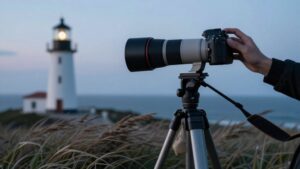
Although your camera and lens may sit well below the tripod’s weight limit, a long or extended lens adds leverage that makes the head more sensitive to wind and small movements. Tripod ratings account for supported weight, not how far that weight sits from the head. As you extend a telephoto zoom, wind and tiny movements apply more torque, so the setup can wobble before it nears the stated capacity.
If you raise a center column to frame the shot, you’ll increase height and reduce rigidity, making sway worse in breezy conditions. For a long focal length or visibly extended lens, aim to use roughly 50–70% of the rated load rather than pushing its limit. A camera and lens weighing about 4 kg can stay within a 5 kg rating yet still transmit vibration that softens images. Keep the lens compact when possible, lower the column, and check sharpness at your intended shutter speed carefully.
Cold-Weather Material Limits
Cold weather can change how tripod materials and joints behave: contracting metal and plastics may make leg locks feel tighter or looser, and any section that isn’t fully seated and latched can wobble. Freezing aluminum remains usable, but abrupt temperature shifts can make the center column move less smoothly. Avoid partly extended sections; seat and latch every leg section.
Carbon fiber stays stiffer than aluminum at equal weight, but extreme cold can make it brittle on impact. Don’t drop it onto hard snow or ice.
Cold wind and poor footing on icy, sandy, or uneven ground reduce stability. Use only about 50–70% of rated capacity, even if your setup is far below it. Use the hook to hang a bag; added mass resists sway.
Camera and Lens Combinations
Action cameras such as the GoPro HERO13 Black (about 159 g), DJI Action 5 Pro (145 g), and Insta360 X4 (203 g) place little strain on most compact tripods rated for a few kilograms.
Your Pocket 3 weighs about 179 g, so wind, terrain, and tripod extension may limit stability before its rated load does. For a mirrorless or DSLR, add the body and lens weights; a Canon 6D with a 24–70 mm lens may weigh about 4 kg.
Keep your load well below capacity—often around 50–70%—and consider a rating twice your combined camera-and-lens weight. Long, heavy lenses create leverage, making vibration more visible even when the load stays within spec. Match the tripod to your complete setup, not just the camera body.
Leg Lock Slippage
Leg locks can creep when your camera, lens, and accessories exceed what they can reliably hold, even below the tripod’s stated maximum load. Watch for gradual leg settling, flex, or wobble; instability while you adjust camera angles also signals that a lock may be slipping under load.
To reduce risk, manage both load and leverage:
- Keep your complete setup near 50–70% of capacity; a 5 kg tripod is steadier around 2.5–3.5 kg, especially during movement or fine adjustments.
- Lower the tripod and keep its center column as low as practical to reduce leverage.
- Choose locks that prevent creep yet release without excessive force; weak clips can slip before you reach the maximum.
Recheck stability, and stop shooting if movement persists during adjustment under load.
Check the Rating Label
If a leg lock keeps slipping, check the tripod’s maximum load on its label, manual, or the manufacturer’s site. Treat that figure as a safety baseline, not a promise of steady footage: capacity ratings rarely capture every setup or movement. Many tripods span roughly 2-50 lb (0.9-18.1 kg) or more, while compact travel models may rate much lower.
- Compare the rating with your camera, lens, head, and accessories combined.
- For a 5 kg rating, target about 2.5-3.5 kg; using 50-70% often improves steadiness.
- Check whether the stated capacity assumes full extension or ordinary use.
A long center column or selfie extension can increase wobble even below the limit, so keep sections short and test the assembled rig before shooting in representative conditions, not just indoors.
Conclusion
Before your next shoot, check the rating label on both your tripod and head. Don’t treat its capacity as a guarantee: your camera, extended lens, wind, terrain, temperature, and lock condition all affect stability.
Keep the complete setup comfortably below the weakest component’s working load. Then test the legs and head with your actual gear before relying on them. A conservative margin protects equipment and helps you get sharper, safer results during field work.