Phone Gimbal vs Selfie Stick: Smooth Footage or Simple Framing?
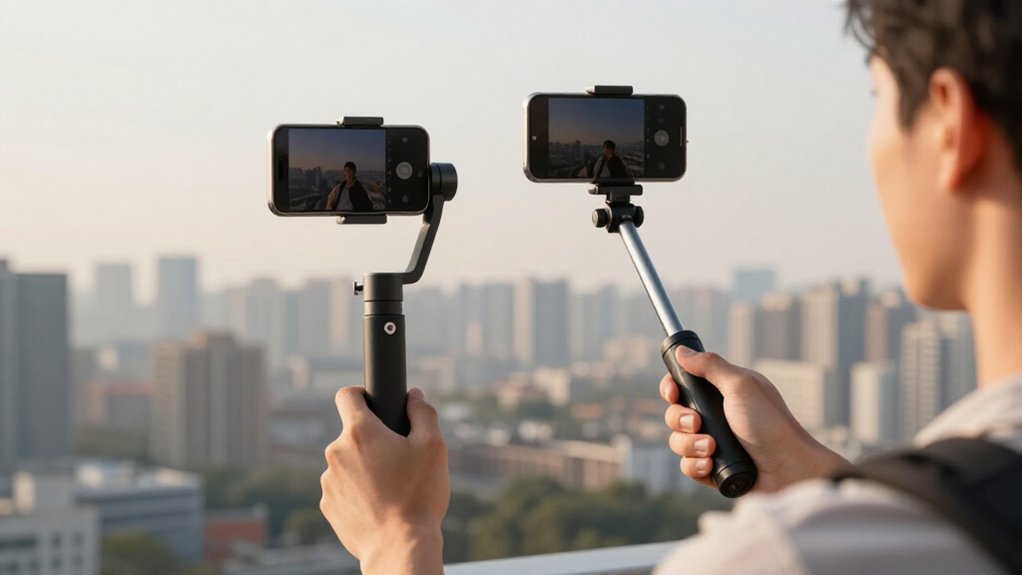
A phone gimbal is the better choice if you want smoother footage while walking, turning, or tracking a moving subject. Its three-axis motors correct unwanted motion, while a selfie stick mainly gives you extra reach, often around eight inches, for wider group framing.
Choose a selfie stick for simple, lightweight shots without charging or setup; choose a gimbal for steadier video and more reliable movement. Your phone, case, budget, and shooting style also matter, as the comparisons below show.
Extended Group-Selfie Reach
For group selfies, a phone gimbal’s extendable reach, about 8 to 8.5 inches on models like the Insta360 Flow 2 Pro and Zhiyun Smooth Q4, can fit more people in the frame than a hand-held pose while keeping the shot steady.
That extra distance helps you include a larger group, but reach alone won’t guarantee a family-photo composition. Put the gimbal in flat or built-in tripod mode, then step back to fit all everyone without wobble.
For a tall group, choose greater tilt flexibility; Free Tilt mode on Flow 2 Pro expands up-and-down framing, though it changes pan behavior. Go tripod-first for the widest view: tracking while you’re behind the camera may limit how far you can move and keep faces centered. Prioritize stable placement and enough headroom over motion features; stabilization can’t create extra reach.
| Setup | Best for | Trade-off |
|---|---|---|
| Handheld | Small groups | Less reach |
| Tripod mode | Family photos | Needs space |
| Free Tilt | Tall groups | Alters pan |
Stick Extension and Motorized Stabilization
A selfie stick extends your phone’s reach, but it won’t steady the shot; a motorized gimbal uses brushless motors and 3-axis stabilization to counteract movement in real time. That difference matters when you walk, turn, or film on the move: extension gives you a framing option, while stabilization helps keep footage smooth despite camera movement.
The Zhiyun Smooth Q4’s pole reaches about 8.5 inches, giving you extra height over a crowd or room to shoot from farther back. The Insta360 Flow 2 Pro extends more than 8 inches, too, combining selfie-stick reach with a stabilized mount. But added length alone won’t prevent judder. For results, balance your phone correctly and choose a mode that suits your movement; settings can affect how the gimbal responds.
Horizon Tilt Correction
Extra reach won’t keep the horizon level when you walk or turn. A selfie stick depends on your wrist to prevent rotation, so fast steps and tight turns can make the frame roll. A phone gimbal counters that movement with three-axis stabilization, using motors to adjust roll, pitch, and yaw in real time. You’ll usually get a more consistently level horizon, though the result depends on setup and mode.
If the phone seems to drift, rebalance and re-level the gimbal, then check that its mode suits your movement. Free Tilt modes, such as the Insta360 Flow 2 Pro’s, allow more up-and-down movement but may offer less left-right control. That can affect how firmly the gimbal holds tilt. A selfie stick remains simpler, but it can’t actively correct horizon changes.
Bluetooth Shutter Convenience
Many phone gimbals let you start or stop recording and take photos with a Bluetooth shutter, so you don’t have to tap the screen. After mounting your phone, you’ll typically pair the shutter through the gimbal’s companion app. This setup can keep controls working across video and time-lapse modes, though support varies by model and app.
Phone Case Clearance
With a phone gimbal, your case needs enough clearance for the phone to tilt and pan freely. A thick case can restrict the rotation range, so check the fit before filming. Camera bumps, lens rings, and side buttons may catch on the arm or handle as you switch between landscape and portrait positions.
- Mount your phone, then test full left-right and up-down movement; watch and listen for scraping.
- Remove magnetic wallets or mounts, which can shift weight or protrude into the gimbal’s path during quick tilts.
- If movement feels blocked, choose a slimmer case or one designed for gimbal clearance.
This check matters with an extendable selfie-stick setup, where changing angles can reveal interference. Don’t assume a phone that fits the clamp will move freely once stabilized.
Pocketability for Daily Carry
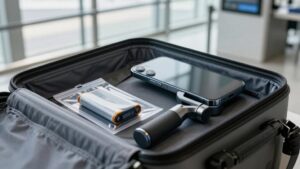
If you want a camera that’s ready to film, the Insta360 Flow 2 Pro folds small enough for a large pocket or small bag and stabilizes as soon as you mount your phone. For daily carry, that compact fold makes it easier to pack the gimbal or tuck it into a bag between outings. Its built-in extendable stick reaches a little over eight inches, so you can frame yourself in tight spaces without packing a separate accessory. You won’t need to balance a multi-piece rig before filming; mount your phone and the gimbal is ready to steady movement.
The Zhiyun Smooth Q4 also travels well, and its roughly 8.5-inch extension gives you framing reach. However, it’s less compact and may feel bulky in a pocket. A lightweight selfie stick takes less room and keeps framing simple, but it won’t offer the same stabilization. Choose based on whether you value steadier clips or carry space.
Battery Life and Charging
Compact gear is easier to carry, but battery life determines how long you can keep filming. A selfie stick needs no motor battery, while a phone gimbal’s internal cell powers stabilization and tracking. Check rated capacity, but treat advertised runtimes as estimates: the Zhiyun Smooth Q4 lists 3,300 mAh and up to 15 hours, though your use may differ.
- Expect active tracking, long walking moves, and frequent mode changes to drain gimbals faster than static shots.
- Check charging options: Insta360 Flow 2 Pro has a 1,100 mAh battery and USB-C output that can charge your phone.
- Plan for travel with a power bank and USB-C charging; accessories such as a built-in LED may use extra power, and repeated app connection attempts can add drain.
Low-Light Shooting Performance
In dim light, a phone gimbal’s three-axis stabilization helps you capture steadier footage and use slower shutter speeds, while a selfie stick mainly improves framing.
A gimbal can also reduce reliance on electronic stabilization, but it can’t overcome your phone’s sensor and exposure limits or replace enough light. For darker scenes, add a small LED light if you can.
Stabilization in Dim Light
When light is scarce, a phone gimbal can steady your footage while the camera uses slower shutter speeds, reducing the shake that digital stabilization may struggle to hide.
A gimbal’s three-axis motors provide real-time mechanical compensation, helping you keep framing steady without relying mainly on electronic image stabilization (EIS).
- EIS often crops the frame and can lower resolution, so low-light cleanup may look softer.
- Phone OIS can correct for some motion, but compact hardware offers limited help in darker, movement-heavy scenes.
- Add a compact LED fill light; stabilization can’t fully hide noise when your phone needs very high ISO.
Choose a gimbal when you’re moving or shooting handheld; a selfie stick gives you reach, but it won’t steady your phone in the same way.
Sensor and Exposure Limits
Because a phone’s small sensor captures limited light, low-light video depends heavily on exposure and computational processing, including noise reduction and sharpening. Your phone can’t gather more light through software; it often raises exposure, then smooths noise and sharpens edges.
Those steps may leave dark footage soft or artificial, and you can’t control them as precisely as you could with a larger-sensor camera.
Phone-only electronic stabilization also crops the frame and can lower detail, while OIS handles some movement but won’t fully correct fast walking sway or motion across several axes. A three-axis gimbal steadies the phone mechanically, so you can use a slower shutter and rely less on digital correction.
In dim settings, that often preserves more usable detail than a selfie stick.
Walking Vlogs and Moving Shots
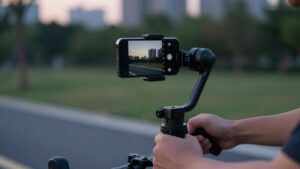
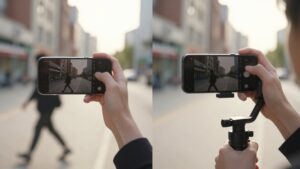
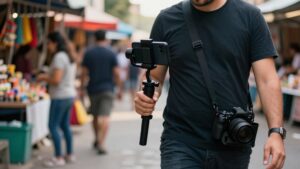
When you film while walking, a gimbal’s three-axis stabilization smooths your footage, while a selfie stick mainly extends your reach. Subject tracking can keep you centered as you move, and quick setup helps you capture steady takes on the go.
A selfie stick is simpler, but it won’t reduce walking shake or lurchy pans as effectively.
Walking Shot Stability
As you walk, a 3-axis gimbal counters unwanted tilt, pan, and roll to smooth out the judder and jerks common in handheld footage.
With a selfie stick, you can widen your frame, but each step may still cause micro-shakes. Built-in electronic stabilization (EIS) crops the image and can reduce detail; a gimbal stabilizes mechanically without that same resolution trade-off.
For walking vlogs, consider these points:
- A gimbal helps keep your subject consistently framed, so you won’t need to re-center as often.
- Tracking modes, such as Deep Track 4.0 on Insta360 Flow 2 Pro, can follow a subject as you move.
- Keep your pace and direction controlled; sudden lurches remain difficult to correct after recording.
A selfie stick may suit simple, wide framing, while a gimbal is the stronger choice when you prioritize steady walking shots. Choose based on whether priority is carrying simplicity or reliable control during movement.
Footage Smoothness
Steady framing is only part of a good walking shot; smooth motion matters just as much.
A phone gimbal uses brushless motors to counter shake, so walking vlogs look smoother and avoid juddery handheld footage. Built-in EIS or OIS can reduce movement, but neither eliminates every jolt. EIS may crop your image or lower resolution, while OIS has limits from compact camera hardware.
As you move, a gimbal continuously corrects unwanted motion; a selfie stick still follows your steps, so your footage may lurch. Tracking can also keep you centered and reacquire you if you leave the frame, reducing manual reframing.
Corrections help when you change pace or turn, but they can’t remove every bump from your walk.
For vertical highlights, smoother tracking can limit heavy cropping in post, though a gimbal adds gear and isn’t essential for every clip.
Quick Setup On-the-Go
For walking vlogs, a phone gimbal can be quicker to set up than a selfie stick: mount and level your phone, balance it if needed, then open the camera or app and press record. That setup gets you moving quickly, while motor stabilization can smooth steps and pans that may look shaky on a selfie stick.
- Charge your gimbal and pair its app before leaving; firmware updates can otherwise slow your start.
- Use quick vertical adjustment or a built-in tripod extension to switch between walking and stationary takes.
- For moving subjects, select them onscreen if your gimbal offers AI tracking, then walk while it maintains framing.
Still, a selfie stick needs less balancing and may suit simple framing when speed matters more than stabilization.
Platform Fit and Budget
If you’re making Reels or TikToks on your own, a phone gimbal is usually the better fit: it smooths movement as you walk and makes vertical video ready to post, while a selfie stick mainly helps with framing. If your budget’s tight, the Zhiyun Smooth Q4 combo costs around £149, but it’s less compact and misses some premium conveniences.
For the easiest operation and most features, consider the Insta360 Flow 2 Pro: it offers smooth stabilization, an over-eight-inch tripod/selfie-stick extension, and AI tracking without complex rigging. A selfie stick may suit you better for mostly static shots or slow pans.
Choosing a gimbal can also reduce reliance on digital stabilization, which may crop or soften footage. Match your spending to how you’ll shoot and where you’ll post; you don’t need advanced tracking if simple framing is enough.
Conclusion
Choose a selfie stick if you mainly need extra reach for group shots, simple framing, and a lightweight, affordable setup. Pick a phone gimbal when you want steadier walking footage, horizon correction, and smoother moving shots, as long as its size, battery needs, and case fit work for you.
Bluetooth shutters add convenience, but they don’t replace stabilization. Match your choice to your platform, budget, and shooting habits, and you’ll get the features you’ll use.