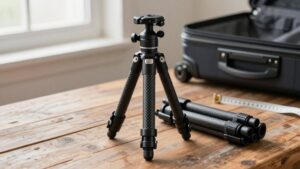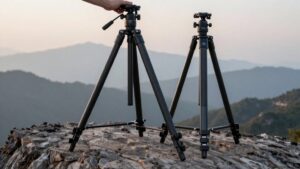
GorillaPod vs Mini Tripod: Which Compact Support Wins for Travel?
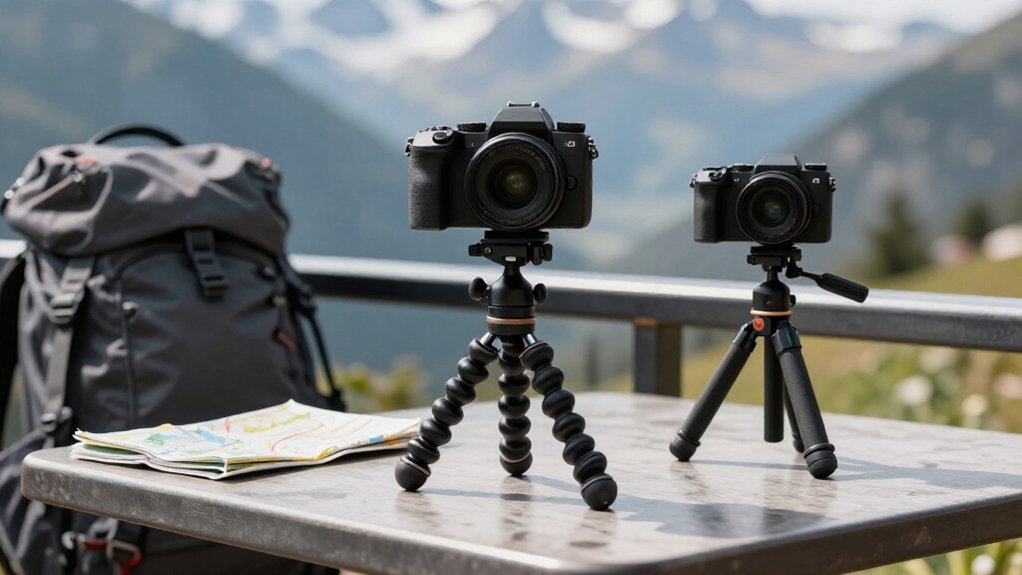
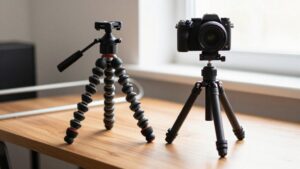
For travel, choose a mini tripod for steadier low-light shots and long exposures; its rigid legs resist bounce better.
Pick a GorillaPod when you need to wrap around branches, railings, or bedposts, or adapt to uneven ground and awkward angles.
Check its load rating before mounting heavier gear, and use a timer or remote to limit shake.
Both pack small, but the flexible model offers more placement options.
More details can help you choose well.
GorillaPod Leg Flexibility
On uneven trails or crowded streets, the GorillaPod’s jointed legs can wrap around a pole or branch, conform to rough ground, or bend into angles a rigid mini tripod can’t manage. That range matters when you’re moving between trail paths and busy viewpoints: you can shape the legs around bumps, then tilt your camera toward a scene from a cramped perch. A rigid mini tripod usually needs level ground and a straightforward stance.
| Setup | GorillaPod | Rigid mini tripod |
|---|---|---|
| Rough ground | Conforms to bumps | May wobble |
| Tight space | Bends into position | Needs clearance |
| Awkward angle | Repositions easily | Fewer options |
| Long exposure | Can spring or vibrate | Often steadier |
Adaptability can save a setup when no ground is available, but choose a rigid tripod for long exposures.
GorillaPod Wraparound Grip
Beyond shaping its legs to uneven ground, a GorillaPod can wrap them around a branch, pole, or post to place your camera where a rigid mini tripod can’t stand. That grip-by-shape gives you options on crowded walks, trail stops, and viewpoints without a tabletop. With roughly eight-inch legs, the GorillaPod 1K can reach around thick branches or posts and help you frame a shot where a rigid mini tripod can’t.
- Wrap legs around a sturdy branch, pole, or post.
- Adapt to irregular terrain when feet can’t sit flat.
- Place your camera beyond table-height options.
- Make sure rubber contact points meet a grippy surface.
- Avoid slick poles; the legs can still slip.
A rigid mini tripod remains simpler on flat ground.
Low-Light Image Stability
In low light, a rigid mini tripod usually gives you steadier shots than a GorillaPod, especially when slow shutter speeds magnify small movements. That difference matters when you’re traveling and often need a longer exposure. A mini tripod’s fixed, tighter joints resist vibration and are less likely to loosen gradually, helping your framing stay consistent.
With a GorillaPod, springy legs can bounce after you press the shutter; use a remote trigger to avoid adding touch-induced shake. For a low-light timelapse, even tiny shifts can show up across the sequence, so the rigid option is safer. Still, a GorillaPod can manage carefully braced or higher-angle setups when you’re traveling light. Choose it for flexible placement, but pick a mini tripod when darkness demands maximum stability.
Quick-Release Plate Advantage
When you’re moving between handheld shots and tripod setups, a quick-release plate saves time on the road. You slide the plate into the head’s clamp, rather than tightening a screw at every stop, so switching from handheld framing to a tripod shot takes seconds.
- On a GorillaPod, quick attachment suits repeated set, frame, and shoot loops.
- You’ll avoid rethreading screws between viewpoints.
- Choose the pro head; the standard head may not accept its plate-and-clamp system.
- Arca-Swiss-style plates can ease swaps across compatible travel gear.
- Compared with a basic mini tripod, this matters most when you alternate camera-in-hand and parked shots.
For compact cameras and mirrorless kits, that small convenience cuts setup friction without adding much time to a travel day, abroad too.
Smartphone Mount Compatibility
For travel, either support needs a secure phone mount, but a GorillaPod-style setup often pairs with a dedicated clamp that holds your phone in landscape or portrait without relying on grip alone. You can also use a Quad Lock case and its separate 1/4-inch adapter; the connection fits standard tripod threads, though the added pieces weigh about 66g on a Samsung S20+.
A clip-style mount offers another route, and many clamps accommodate cased and bare phones. On a GorillaPod kit such as Joby 1K, the roughly 2.2-pound capacity leaves room for a phone and small accessory while you frame shots at varied angles. A mini tripod can work just as well, but choose a purpose-built clamp that secures your model and lets you switch orientation quickly; basic tabletop clamps may slip during setup or when you reframe. Before you pack, check fit with your case on and confirm the mount threads into your support for travel use.
Replacement Feet and Rubber Wear
A secure phone mount won’t help much if worn GorillaPod feet let the support slide. On trips, frequent setup at beaches, wet walks, and repeated wrapping can round or harden the rubber.
- Check feet after travel on slick ground or metal poles; slipping signals reduced grip.
- Look for rounded or hardened rubber, not just visible dirt.
- Replace worn feet to restore traction for low-angle shots and uneven paths.
- Keep original-style oversized rubber feet if you rely on stability on slippery surfaces.
- If legs slip or bounce after setup, treat contact friction as the issue.
That maintenance check can matter more than choosing between flexible wrapping and a fixed setup: on varied routes, fresh contact points help your GorillaPod stay planted when you frame a shot.
Camera Weight Limits
On the road, match your camera kit’s total weight—including plates and accessories—to the tripod’s rating, and leave a safety margin. A GorillaPod 1K supports about 2.2 lb, while the 3K is rated up to 6.6 lb.
Yet if your setup tops 4 lb, you may get better results by upgrading rather than treating the maximum as a target. A GoPro or Lumix ZS20/ZS40 under 250 g works with a lightweight mini tripod.
Add a battery grip or accessories and the load climbs quickly. An SLR may suit a GorillaPod SLR, but an SLR Zoom or grip can push it toward its practical limit, where droop and springy movement become noticeable.
Even below the stated rating, heavier kits can transmit vibration during shutter release or time-lapse. Stay well within capacity for reliable travel.
Portability on Uneven Ground
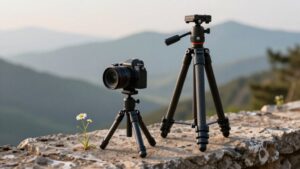
When you’re shooting on rocky trails or uneven terrain, you’ll find GorillaPod’s bendable legs wrap around branches, posts, or boulders to find footing a rigid tripod can’t reach. A mini tripod, on the other hand, needs a relatively flat patch to plant all three legs solidly.
That said, GorillaPod’s flexible joints can flex under a locked-in shot, so you’ll want to anchor it firmly if you’re after a rock-steady frame.
Wrapping Legs Around Obstacles
On rocky trails, sloped viewpoints, or crowded streets, a GorillaPod’s flexible legs can wrap around a pole, branch, or post to steady your camera where a rigid mini tripod can’t sit securely. You twist the legs into place instead of hunting for flat ground, and setup takes seconds. Compare the two options here:
- GorillaPod: wraps around railings, branches, and signposts for creative angles
- GorillaPod: sets up fast, just bend and clamp
- Mini tripod: needs a flat surface, limiting your angle choices
- Mini tripod: can’t grip poles or uneven edges at all
- GorillaPod: trades stability for flexibility, so it may bounce slightly after you hit the shutter
Add a remote trigger or a grippy surface to cut the wobble, and you’ll still nail sharp shots.
Finding Stable Footing
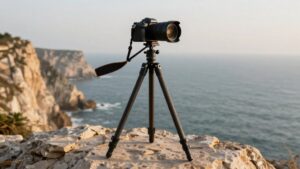
When a trail or viewpoint has no level patch, a GorillaPod’s flexible, multi-jointed legs can bend around rocks or branches to find better footing than a rigid mini tripod. You can press its legs into position quickly, making it handy when your route crosses hills, rocky overlooks, or crowded spots with limited space.
A rigid mini tripod may hold steadier when you need a firm base, since fixed legs won’t flex like a spring after you release the shutter. On sand or soft ground, a GorillaPod’s reduced rigidity can invite vibration from wind or movement, so avoid relying on it for long exposures if its legs flex under load.
Match the model to your camera: a GorillaPod 1K supports about 2.2 pounds; heavier gear can droop or wobble.
Hotel-Room Self-Timer Setups
In a hotel room, you can wrap a GorillaPod around a bedpost or rail when a mini tripod won’t fit, but a solid surface may give you steadier shots. Its flexible legs let you frame your phone in portrait or landscape, while a mini tripod offers a firmer base.
Use a remote or 10-second timer to avoid shaking the setup during the countdown.
Stable Camera Placement
For a hotel-room self-timer shot, a GorillaPod can wrap around a chair back, bedpost, or railing to hold your phone or camera where a rigid mini tripod can’t sit flat. That grip beats balancing gear on a suitcase or desk edge, especially while you wait for the shutter.
- Its ball head lets you fine-tune framing without shifting the legs, useful for dim room portraits and time-lapses.
- On uneven furniture edges, it can settle more securely than a mini tripod that needs a flat base.
- For long exposures, trigger the camera remotely or use its timer; a flexible mount may bounce after you tap the shutter.
- The 1K kit supports about 2.2 pounds; check your camera’s weight.
- Check the rating before packing heavier travel gear.
Flexible Positioning Options
Around a hotel room, a GorillaPod can wrap its articulated legs around a bedpost, chair, or door hardware to find self-timer angles a mini tripod’s straight legs can’t reach. That reach helps when you’re traveling light and need a camera above clutter or beside a narrow nightstand. You can bend the legs around a fixed point instead of hunting for level furniture or adjusting each foot.
Add a phone tripod adapter to lock your phone in portrait or landscape orientation. Still, flexible legs may behave like a spring and bounce, so avoid touching the setup once framed. For steadier low-light interiors or longer exposures, a mini tabletop tripod or ball-head gives you more consistent support.
Choose the GorillaPod when an unusual mounting spot matters more than perfectly rigid framing. It adapts to unfamiliar room layouts without needing a flat surface for quick travel group photos.
Remote Shutter Timing
A remote shutter or your phone’s timer keeps your hands off the setup when you take hotel-room self-timer shots. That matters with a GorillaPod: its flexible legs can act like a giant spring, so touching the phone between framing and exposure may shift the shot. On a hotel-room surface, set it firmly, then trigger from across the room. A rigid mini tripod may feel steadier, but remote timing helps either support.
- Set it on a stable desk.
- Use a phone timer or remote; avoid touching the rig at capture.
- For time-lapses or long exposures, remote triggering limits vibration.
- Lock your phone with a Quad Lock tripod adapter to keep framing consistent.
- Practice the sequence, then take a test shot to check for slippage.
Packing Size and Weight
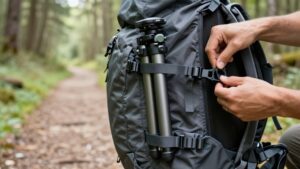
When carry-on space is tight, the GorillaPod 1K kit packs down to about the size of a small water bottle and weighs roughly as much as a navel orange. That light, flexible design slips beside clothes in your backpack, and its legs can wrap around other gear, saving room when you combine a carry-on with a day bag.
Rigid tabletop mini tripods may look compact, but their fixed footprint and conventional shape can make them awkward to fit, even when their listed weight seems low.
A 44-gram flexible model may weigh less on paper, yet a narrow platform or weaker build can disappoint once you use it. Choose the GorillaPod for multi-day travel when every pocket matters. Heavier tripods add stability but consume space.
Conclusion
Choose a GorillaPod when you need flexible legs, wraparound grip, and support on uneven ground. Choose a mini tripod when you value a stable, quick setup, especially for hotel-room self-timers and low-light shots. Before you pack, check the weight limit, quick-release plate, and smartphone-mount compatibility against your gear.
A mini tripod may be lighter and simpler; a GorillaPod can handle more varied spots. Match your choice to your camera, travel style, and packing space.