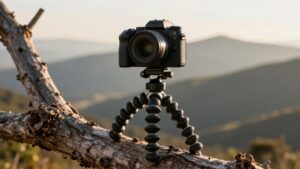
How Much Weight Can a Camera Tripod Hold? Load Ratings by Tripod Type
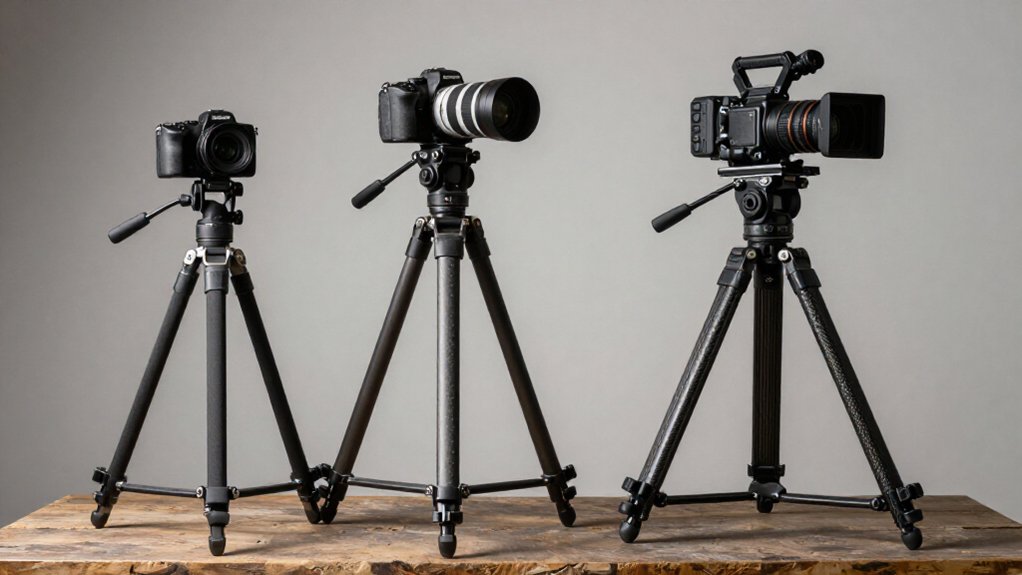
A camera tripod can hold 2–8 lb as a travel model, 8–20 lb as an all-purpose tripod, or 20–40 lb as a heavy-duty model, but these figures are maximum ratings, not guarantees of stability.
You should compare the lower capacity of the legs and head, keeping your load near 50–70% of that limit.
Height, wind, uneven ground, and movement increase sway; keep the center column low.
Learn how conditions affect usable capacity for each setup.
Payload vs. Camera Weight
Tripod ratings specify the maximum safe payload, not a guarantee of stability in every setup. Your camera’s weight is only one part of the load the tripod must control. Typical action cameras weigh little: a GoPro HERO13 is about 159 g, a DJI Action 5 Pro about 145 g, and an Insta360 X4 about 203 g.
Each sits well below many tripod payload limits, so a modest model can usually support the camera’s weight. A guideline is to keep the payload near 50–70% of the rated capacity, giving you margin when wind or uneven terrain increases movement. Height matters: raising the center column or selfie stick increases leverage, making even a light camera sway. Wobble, loose locks, or excess flex signal excessive effective load.
Travel Tripod Capacity Ranges
For travel tripods, rated capacities typically range from 2 to 8 lb (0.9 to 3.6 kg), a class suited to lightweight cameras and accessories. Because smaller frames often use thinner legs and more sections, stability can decline faster at height. In wind or rough terrain, you should use roughly 50–70% of rated capacity for steadier shooting.
| Load range | Best fit |
|---|---|
| 2–8 lb | Lightweight cameras, accessories |
| 50–70% | Outdoor working load |
A GoPro at 159 g or DJI Action 5 at 145 g sits far below this class’s minimum, so wind and ground conditions, not payload, limit stability. For outdoor support, check that leg locks secure and avoid raising the center column unless needed; leverage can affect steadiness more than the load figure.
Manufacturer Rating Test Conditions
Although a manufacturer’s maximum-load rating comes from repeatable tests on stable footing at specified leg and center-column positions, those conditions differ from many outdoor setups.
You should compare that figure with the setup you actually use: manufacturers may test legs partly or fully extended and the center column at a defined position. Extending the column farther or raising the legs can reduce stiffness, so the published limit becomes less predictive at taller settings.
Wind and uneven ground add movement absent from controlled tests, even when you haven’t exceeded the rating. Some ratings describe a tripod-and-head system or safe handling load at a stated column height, so check conditions before choosing gear. A practical working load below the maximum leaves room for field variability.
Tripod Head Capacity Differences
Your tripod head may have a lower effective capacity than its legs, so compare their independent ratings. Count the camera, lens, and other mounted gear as payload; the weakest component sets the practical limit.
Match the head to your rig’s total weight and keep the camera near the head’s center to reduce leverage.
Head Versus Leg Capacity
A tripod’s usable capacity is limited by the lower rating of its legs or head, so check both before mounting a camera. Leg ratings describe maximum load, but the head must also resist camera torque and shifting. A action tripod may advertise support near 5 kg, yet its ball or pan-tilt head can become the limiting part first.
For a GoPro weighing 159 g or an Insta360 X4 at roughly 203 g, both limits may be ample; stiffness and wobble matter more than rated load. If you can’t hold an angle without creep, the head may be struggling despite strong legs. A raised center column or long lever arm increases torque. Stay near 50–70% of the lower rating to allow for wind and uneven terrain.
Independent Head Ratings
Leg and head capacities are separate ratings, so a tripod with 20–40 lb legs may still be limited by a head rated for only 5–15 lb. Check the head’s published limit separately from the legs’ limit; a ball head or pan-tilt head can become the weaker component.
Compare ratings with your setup’s required capacity, using the manufacturers’ stated figures. Design also affects performance. Some ball heads support static loads yet feel less stable when you raise or angle the camera. Multi-axis heads can lose stiffness as leverage increases at heights or angles, making damping and locking behavior relevant alongside maximum weight. If the head sags, recovers slowly, or drifts when locked, treat that as a head-capacity mismatch, not proof that the legs have reached their limit.
Payload Includes All Gear
When you check a tripod’s load rating, count the entire mounted setup—not just the camera body—including the lens, head, plate, and accessories. A camera body may weigh little compared with a long lens or a battery grip, monitor, microphone, and quick-release plate. Add each item attached above the legs, including the tripod head, when estimating payload.
Ratings may describe the support system with its head installed, while a head maker may publish a separate capacity. Those figures aren’t always measured under identical conditions, so compare specifications. A compact action camera, such as a 145-gram DJI Action 5 Pro, leaves room for accessories.
Weakest Component Sets Limits
In practice, a tripod’s weakest component, often its head or mounting interface, sets the usable load limit, not necessarily the legs. A compact tripod may carry a 5 kg rating, yet a less stiff ball head or pan-tilt head can flex before the legs reach that figure.
For action cameras such as a 159 g GoPro, 145 g DJI Action 5 Pro, or 203 g Insta360 X4, payload rarely strains the legs; head stability and damping under wind or at greater height matter more. With a heavier mirrorless body and lens, the head may struggle to hold the center of mass without drifting as you tighten the clamp or adjust angles. Watch for a tilted camera that won’t stay level, flex during panning, or growing wobble with the center column raised, even when the legs feel firm.
Matching Head to Setup
How well does a tripod support your setup? Head capacity often sets the limit, so check the ball or pan-tilt head’s rating as well as the legs’. A leg rating of 5 to 40 lb doesn’t confirm that the head can safely carry your camera, lens, and quick-release plate.
For action cameras such as a 159-g HERO13 or 203-g Insta360 X4, heads offer ample capacity. But a 500-ml bottle adds about 500 g. With a ZV-E10, R50, or Z30, compare the head’s rating with total mounted weight, not the tripod’s maximum.
A higher rating doesn’t guarantee stability: stiffness and damping matter. If your head flexes or tilts, it’s overworked. Keep load near 50 to 70 percent of capacity, and avoid center-column extension on windy or uneven ground.
Allow for Moving Loads
Because wind, panning, tilting, and vibration add dynamic forces, a tripod’s real safety margin is lower than its static load rating suggests. Use the rating as a ceiling, not a working target: you should keep your equipment near 50–70% of stated capacity outdoors. Wind can make even light cameras sway, while panning and tilting shift force across the legs.
At greater height, extending the center column or a selfie stick increases leverage, so allow less load than at lower setups. On uneven or soft ground, legs may sink or shift, making stability more demanding than rated. Treat wobbling or difficulty locking angles as evidence that your setup exceeds the tripod’s capacity, even if your equipment weighs less than its maximum. This indicates a need to reduce load for moving conditions.
Freezing-Weather Leg Locks
Cold can reduce a tripod’s practical load capacity by making leg locks harder to loosen and less reliable to clamp. Ice and stiffened grease raise friction, so you should set up carefully and never force a lock past resistance. Compared with warm-weather use, cold conditions demand cleaner, drier leg sections because dirt and melt-freeze cycles can form ice that blocks fully proper engagement.
Before exposure, wipe away excess lubricant and apply a small amount of silicone-based lubricant; thick oils can bind readily. If a lock feels frozen, gently warm it with your hands or a cloth rather than yanking it. You should also stay within the manufacturer’s rated load range: cold can make components more brittle, while incomplete clamping increases wobble and instability.
Wildlife Telephoto Setup
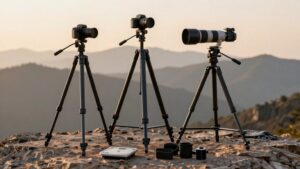
For wildlife telephoto work, choose a tripod rated well above the combined weight of your camera and lens, and aim to use only about 50–70% of its rated capacity. Long lenses amplify motion, so prioritize stiffness and wind resistance over maximum load. Widen the leg spread and keep the center column lowered to reduce sway.
For breezy conditions, hang a weighted bag from the center-column hook for damping. Extend thicker leg sections first; greater height increases sensitivity.
Typical all-purpose tripods carry about 8–20 lb (3.6–9.1 kg), while heavy-duty models often rate 20–40 lb (9.1–18.1 kg). Treat these as broad benchmarks, not guarantees: wind and uneven ground can require a larger margin, even when your camera-and-lens weight, including all attached accessories too, falls within the stated rating.
Leg-Lock Slippage Checks
Before trusting a tripod’s load rating, check that its leg locks hold: extend each leg from the thickest section to the thinnest, tighten the locks, then gently push and pull each leg to see whether it creeps. A paper rating can’t reveal weak clamping; watch for slow descent under a small center-hook load, such as a 500 ml water bottle.
Test stability with your camera and a combined load: action cameras often weigh 145–203 g, while a small power bank adds 250–350 g.
- If a leg creeps during testing, treat it as instability, not rated capacity.
- Tighten firmly, but don’t apply excessive force; movement or flex signals inadequate grip.
- If slippage persists, clean dust or moisture from lock surfaces, then retest under load and adjust the head tilt again.
Check Platform Mount Screws
Check that the platform screw matches your camera or head, typically 1/4″-20 or 3/8″-16, by verifying the thread diameter and pitch. A mismatch can loosen the connection or strip threads, weakening it even when the tripod’s rated capacity is high. Tighten the screw firmly, but don’t over-torque it.
Before loading the setup, compare these three points:
- Confirm an action-camera or accessory adapter has a compatible thread and rating; it must mate securely, not depend on friction.
- Tighten the head or camera, then check the platform connection for wobble, especially with quick-swap heads and removable plates.
- Verify the combined camera and accessory mass, even if it’s far below the tripod limit; secure threading still matters.
A correct screw connection helps prevent shake and protects your equipment, even with ample rated load capacity.
Conclusion
Choose a tripod by its weakest component, not its headline load rating: compare payload capacity with your full camera-and-lens weight, then check the head, platform screw, and leg locks. Manufacturer ratings rarely reflect moving loads, cold-weather operation, or a long telephoto setup.
Leave capacity in reserve for those conditions, and test for slippage before shooting. A heavier-duty tripod may cost you portability, but it offers a more stable margin than a travel model near its limit.
Tripod Price Estimator: What Should You Pay?
See the typical price range for camera, phone, travel, video, mini tripods and monopods from a dated Amazon shelf snapshot, and check your budget.
Camera-to-Tripod Mount Finder (1/4" vs 3/8")
Pick your camera and tripod stud to see its tripod socket thread (1/4"-20 or 3/8"-16), whether you need an adapter, and the manual source.
Mini Tripod Weight-Fit Checker
Add up your camera body, lens and accessory weights and see which mini tripods in our data list a capacity that covers your setup.
Travel Tripod Height & Pack-Size Calculator
Work out the legs-only max height and the folded length your travel tripod needs from your eye height, head, camera and bag size.
Video Tripod Payload & Bowl Matcher
Add up your camera rig's weight, compare it with your tripod's rated payload at a safety margin, and check that bowl and head base match.
Monopod Height Fit Calculator
Work out the extended monopod length you need from your eye height, head and camera, in cm and inches, and check a monopod's max length.