Can a GorillaPod Hold a Mirrorless Camera? Load Ratings vs Real-World Use
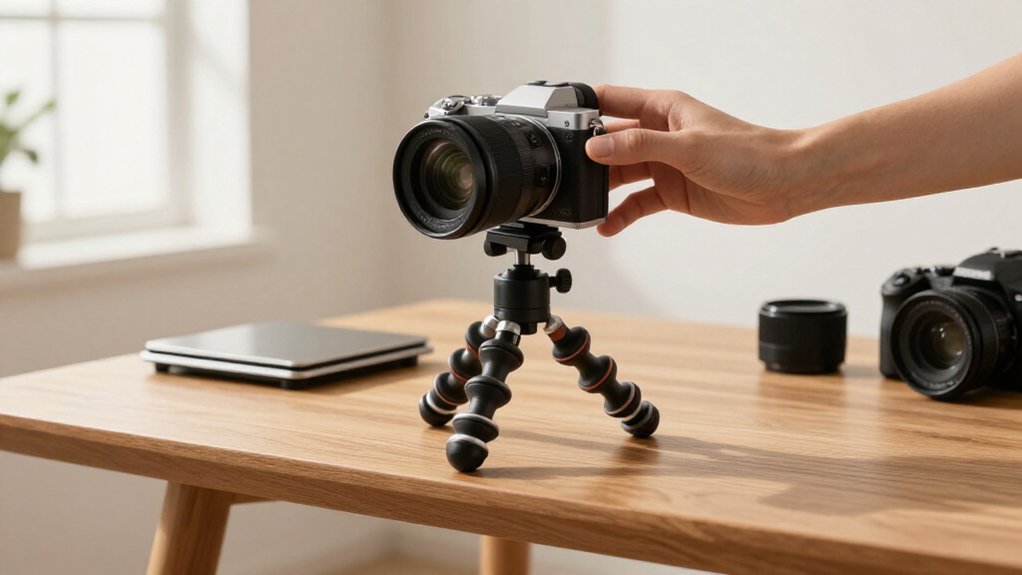
Yes, you can mount a mirrorless camera on a GorillaPod if combined weight stays within the model’s rating. Include the body, lens, battery, grip, and accessories; a long zoom adds leverage.
For outdoor framing, aim for 50–70% of capacity to limit flex and wobble. Lock the legs and head, secure the plate, and test movement before shooting.
Wind and extended reach can shift framing. Check thread compatibility and joint security before relying on your setup.
Mirrorless Camera Load Ratings
When choosing a GorillaPod for a mirrorless camera, treat its stated payload as the maximum combined weight of the camera and lens, not a target for routine use. Before mounting your kit, weigh the camera with its heaviest intended lens and accessories, then compare that total with the model you plan to use.
For outdoor framing, many creators keep the working load near 50–70% of the stated capacity; that margin can limit flex and wobble as you reposition the legs or adjust the head.
Check balance with a long zoom and tighten joints before letting go. If the setup wobbles, won’t lock, or shows leg or ball-head flex, remove weight or choose a larger model. Your kit should remain stable during adjustments, not stay upright.
Payload Rating Basics
A tripod’s payload rating is the maximum combined weight it’s designed to support—not a guarantee of stability in every setup.
Your GorillaPod’s model number indicates its nominal limit: 325 supports 325 g, 500 supports 500 g, 1K supports 1 kg, 3K supports 3 kg (6.6 lb), and 5K supports 5 kg (11 lb).
Count your camera body, lens, and accessories together; don’t compare the body alone with the rating.
For steadier outdoor use, keep the total near 50–70% of capacity. A 5 kg model often works best around 2.5–3.5 kg outside.
Ratings assume a secure mount and properly locked legs. After setup, check for wobble, excessive leg flex, or difficulty locking joints at your chosen angles. If these appear, reduce the load or lower the setup and retest.
Camera-and-Lens Balance
Balance the camera and lens as a unit: include the battery, grip, or cage in the total, since a large zoom can add weight and shift the center of gravity forward. Check this load against your GorillaPod’s rating: a 3K model supports 3 kg (6.6 lb), while a 5K model supports 5 kg (11 lb).
Treat those figures as limits, not targets. For steadier outdoor use, aim for 50–70% of rated capacity; with a 5 kg model, that’s about 2.5–3.5 kg. Keep the center of gravity near the legs’ mounting point, rather than letting a long lens project to one side. Then assess the setup: wobble, leg flex, or trouble locking the pose signals excessive load or leverage, especially with an extended lens.
Flexible Leg Grip Configurations
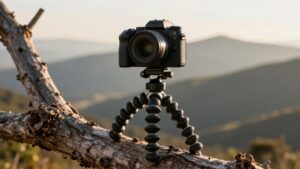
Wrap the legs firmly around a fixed support or position them against uneven ground to create secure contact points. Choose flatter surfaces and tighten each wrap to reduce slipping, especially with a long or off-center lens that adds torque.
With the camera mounted, test for rotation, tilt, wobble, and flex before framing your shot.
Wrap Legs Around Supports
When uneven ground or a narrow surface rules out a stable tripod stance, you can loop a GorillaPod’s rubberized, traction-focused legs around a pole, railing, or sturdy branch. This setup anchors the camera without requiring three feet to sit evenly on the ground. Before mounting, check that your camera body, lens, and accessories remain within the model’s rated payload, such as 325g, 500g, 1K, 3K, or 5K.
Physical grip alone doesn’t confirm a safe load. Keep the camera’s center of gravity close to the support point, and avoid long, heavy lenses that extend the load and increase leverage. After wrapping, test the hold gently. If you see flex or wobble while tilting, reduce extension, reposition the legs, or choose a higher-rated GorillaPod model.
Grip Uneven Surfaces
A GorillaPod’s bendable, rubberized legs can grip rock, sand, bark, or railings when level ground isn’t available. On uneven terrain, spread the legs to create three contact points, then wrap one or two around a support to lower the setup’s center of gravity and reduce wobble. Check that each foot or wrapped section bears before mounting or handling your mirrorless camera.
On slippery ground, standing the feet alone may provide limited friction; wrapping a leg around a thicker, textured branch, beam, or pipe gives it a secure hold. For an odd angle, position two legs to counter the camera’s weight and use the third as a brace. You can also invert the pod and configure its legs for multiple contact points on low, irregular surfaces.
Secure the Camera Angle
For a secure camera angle, wrap a GorillaPod’s flexible rubber legs around a rail, branch, or pole rather than relying on flat ground. Build stable triangular support beneath the lens and body; bend individual legs to counter twist and prevent rocking.
Keep the camera center of mass over leg contact points, particularly with a heavy telephoto lens that shifts load outward. For low or upside-down shots, flip the tripod and spread legs in different directions before tightening the head.
If the setup wobbles during fine adjustment or you can’t lock the head or legs, reposition the legs or reduce extension and load. Rated capacity alone won’t ensure a steady angle. Test the framing gently before you shoot.
Mounting Plate Compatibility
Check that your camera has a standard 1/4″-20 tripod socket so the GorillaPod plate can attach securely. If your kit includes a quick-release plate, you can leave it on the camera and snap the camera on or off; a fixed mount requires you to unscrew the GorillaPod.
Then check the kit’s load rating against your camera-and-lens weight, and choose the next higher model if you’re near its limit.
Tripod Plate Thread Sizes
Before mounting your mirrorless camera, verify both the camera’s tripod thread and the GorillaPod’s connection: most 3K and 5K models use a standard 1/4″-20 mount, which typically matches the camera’s tripod socket. Check the camera’s manual or inspect its socket; most mirrorless bodies use 1/4″-20, but confirm yours before tightening.
For a fixed head attachment, screw the head into the camera socket only when both sides use this thread. Keep the mating surfaces aligned, start the screw by hand, and turn it gently to avoid cross-threading. If it binds, stop and recheck the thread instead of forcing it. Tighten until the camera sits firmly, then check for wobble before you position the GorillaPod. Thread size confirms fit, not load capacity, so follow the model’s limits.
Quick-Release Plate Compatibility
Matching the tripod thread confirms that the camera can attach, but a quick-release plate determines how easily you can remove it. Many GorillaPod models accept devices with a standard 1/4-inch tripod mount, and a compatible plate lets you detach your mirrorless camera without unscrewing the entire tripod. The GorillaPod 5K kit, for example, uses a heavy-duty Arca-Swiss plate that locks to its head with a side tightening knob.
If your plate follows the Arca-Swiss standard, it can work with an Arca-style base like the 5K’s. For other plate standards, you may need an adapter that matches the plate and head interfaces. With a fixed attachment, you must unscrew the GorillaPod to remove the camera. Before choosing a setup, check its mounting standard and rated load capacity.
Checking Camera Mount Fit
Start by confirming that your camera has a standard 1/4-20 tripod mount hole, which most mirrorless bodies do, and that the GorillaPod’s screw or quick-release plate fits it securely. Before tightening, check that the plate seats flush and can’t rotate. If your kit uses a quick-release plate, match its interface to your accessories; some GorillaPod 5K models use Arca-Swiss. Test attachment and release without the camera first.
| Check | What to verify |
|---|---|
| Thread | 1/4-20 screw engages fully |
| Alignment | Base sits centered; lens weight shifts balance |
| Capacity | Rating exceeds full setup; choose one size higher |
Then mount the camera and rock the head; stop if the plate slips, the body tilts, or the legs flex excessively. Recheck screw tension after adding accessories, a heavier lens.
Long-Exposure Landscape Photography
For long-exposure landscapes, a GorillaPod can hold a mirrorless camera if the full setup stays within its load rating—but don’t aim for the maximum. Weigh your full setup: a GorillaPod 3K supports up to 3 kg (6.6 lb), while a 5K supports 5 kg (11 lb). For slower shutter speeds, target 50–70% of that rating; a 5K works best with about 2.5–3.5 kg.
Check how your lens shifts the center of gravity, especially with a heavy zoom, and keep the legs from flexing. Use the flexible legs to grip a rocky edge or wrap around a stable element. Avoid soft or sandy ground, where the legs may shift. If the setup wobbles, won’t lock, or flexes on flat ground, choose a higher-rated model.
Wind-Induced Camera Shake
Even when a GorillaPod’s payload rating suits your mirrorless camera, gusts can make the setup sway sideways, blurring long exposures or shaking video.
Gusts affect leverage, not just weight. A 3K model rated near 3 kg (6.6 lb), or a 5K rated near 5 kg (11 lb), isn’t automatically windproof. Height, extended legs, a center column, and arm or selfie-stick positions increase leverage, so a light camera can wobble outdoors; heavier lenses add inertia.
For field use, treat roughly 50–70% of the stated capacity as a practical outdoor ceiling, not a guarantee. Watch the live view during gusts and check recorded footage for lateral movement. If the image shifts, lower the camera and shorten each reach. Don’t assume the payload figure predicts stability.
Avoiding Loose Joint Locks
Before shooting, confirm the GorillaPod’s joints and head lock securely: apply gentle upward and sideways pressure to each locked joint, including the ball head, and check for play.
- Check your model’s stated payload rating—325g, 500g, 1K, 3K, or 5K—and keep combined camera-and-lens weight comfortably below it; outdoors, aim for 50–70% of capacity.
- If legs or arms shift, framing wobbles during angle changes, or joints resist locking, treat that as a possible overload signal; tighten or upgrade.
- Use the kit’s prescribed attachment, then fully tighten the ball-head or plate side knob to prevent slipping under gravity.
- Long, heavy zooms increase leverage and joint stress, so keep the load close to the mount. Recheck locks after repositioning, especially before shooting outdoors, regularly.
Check Your Camera’s Mount Thread
Once the joints lock securely, check that your camera’s tripod socket uses a 1/4-20 UNC thread, the standard fit for most GorillaPod heads and quick-release plates. Don’t rely on a listing that says only “tripod mount”; verify the socket size in your camera’s manual or manufacturer specifications. Most GorillaPod heads screw directly into this thread.
If you use an Arca-Swiss plate or quick-release system, confirm that its tripod-thread adapter also matches 1/4-20. If your camera has another thread size, use a compatible adapter. Don’t force the connection: mismatched threads can strip and leave the camera insecure.
Then check the GorillaPod’s load rating. A 3K supports up to 3 kg (6.6 lb), while a 5K supports up to 5 kg (11 lb). A correct thread won’t prevent wobble if you exceed capacity.
Conclusion
A GorillaPod can support your mirrorless camera when its rated payload exceeds the complete camera-and-lens weight, but that figure doesn’t guarantee stability. Check balance, plate compatibility, and the mount thread before you attach it.
Configure the legs for broad, secure contact, then test each joint lock. For long exposures or windy locations, use a more rigid support if you see movement. You’ll get the safest results by treating load ratings as limits, not promises in use.